How to do recording in Jetson TX2
Answered
Hi I have meta VMS installed in Jetson TX2. I configured a rule with generic event and configured a recording action for a fixed duration of 10 seconds. I enabled recording for the camera also. But when I trigger the CreateEvent api it is not creating any recordings.
I checked the recordedTimePeriods api and also not found any records in the response
How can I record clips in Jetson TX2 ? My OS i ubunutu 18.04
Any help will be appreciated
Thanks
-
Official comment

Hi @...,
Assuming you have a storage location available on your Jetson Tx2, you can follow the instructions in the following support article: LINK
-
Hi Norman,
Yes storage location is set at var/data location.
I have tried recording manually also but no files are there when I call the recodedTimeChunks api also i checked the folder also there is no recording in it.
In windows I get recordings also in other Ubuntu laptops as well. Only in Jetson I am facing this problem
Regards
0 -
Hi Sebastian,
Are you sure the storage is mounted?
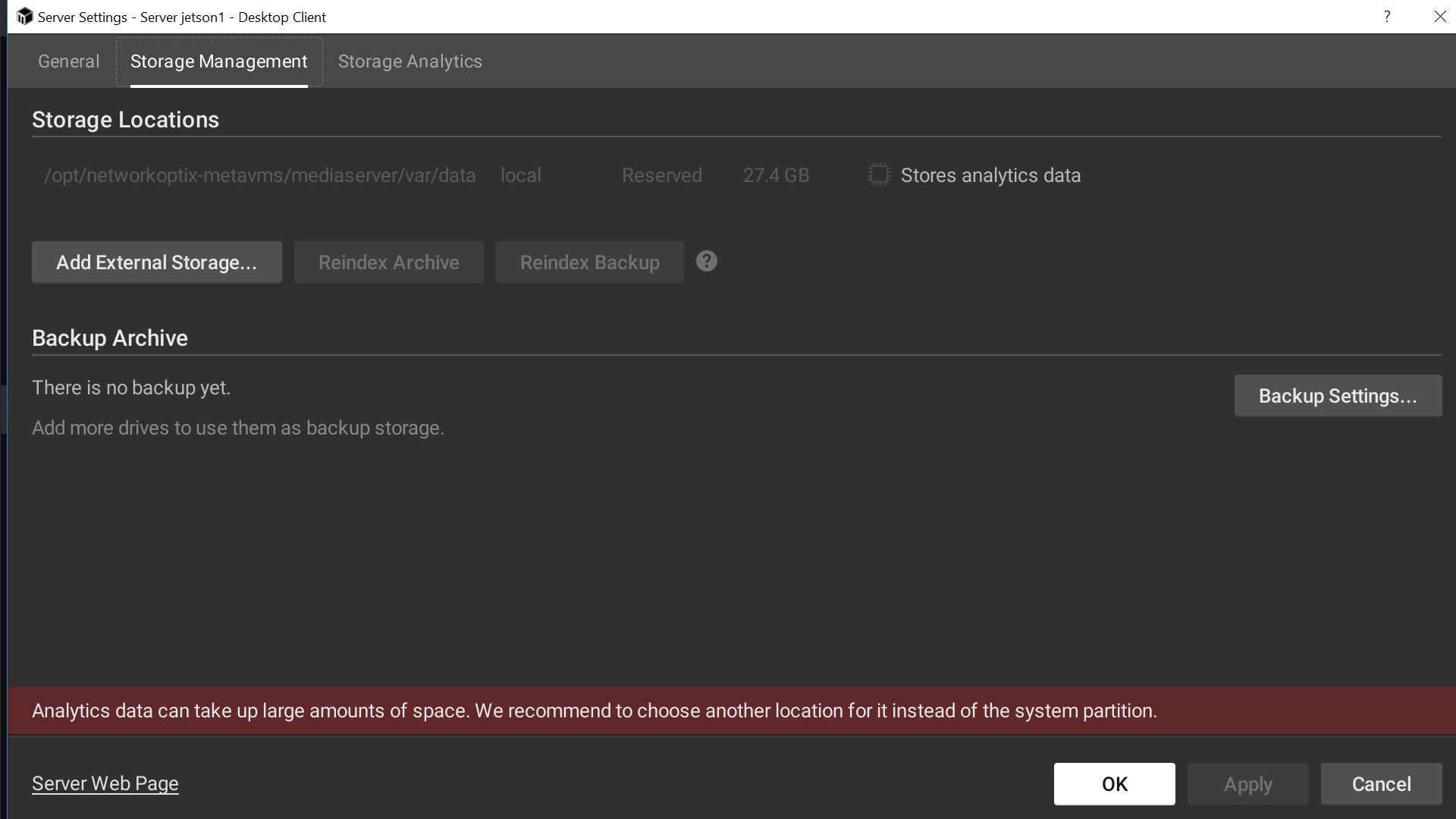
What if you look via the Nx Desktop client in the Server Settings menu, tab Storage Management it the storage location listed and enabled here? Can you share a screenshot of that specific menu?
0 -
 0
0 -
This page does not show any storage available.
Only the OS drive, when you mount the storage or a larger OS drive, you should be able to record the data.More information can be found here: LINK
1 -
Hi Norman
Thanks
I tried an external USB it is working
Thanks
0 -
Awesome @....
Thank you for the feedback and good to read you resolved it.
0
Please sign in to leave a comment.
Comments
7 comments