DS-KB8112-IM integration
Answered
I've got a DS-KB8112-IM intercom and I would like to use the intercom functionality in NX witness to get
- push notifications to my mobile devices
- be able to talk to who is at the gate (sound works from the gate to mobile)
- to be able to unlock the gate from the mobile App. I've enabled camera rules but it says the intercom doesn't have any I/O port.
Any help would be good.
Thanks
-
Official comment

Hi Philip,
Push notifications will be added to v4.1. The Beta version of v4.1 can already be downloaded through my.networkoptix.com --> Downloads, tab Beta.
Regarding the 2-way audio and the I/O, please run the test in the Onvif Device Test Tool, in case 2-way audio and the I/O pass the test, please share the output with us so we might be able to add the device to Nx Witness. If the test fails, please share the output with your supplier of the unit and ask them for a fix so it becomes Onvif compliant as a whole.
-

where can u get the onvif device test tool??
0 -
Hi Michael Reijerse,
The Onvif Device Test Tool is officially only available for Onvif.org members.
0 -
Hi Norman,
As this device isn't Onvif compliant is there any other options to get push notifications to mobiles?
Thanks
0 -
Getting Push Notifications is no problem, since it is an action you can add to an event.
The issue is most likely what event you select to trigger the Push Notification action.According to the Datasheet, the device should be Onvif compatible.
Not sure how the device works, but I see that the device has an input and output.
If you can trigger the input when the button is pushed, you could, if that part is also Onvif compliant, select the Device Input as the Event and then Push Notification for mobile as the Action.
Also, the audio part should be Onvif compatible, and in that case, bi-directional Audio should be possible as well.
0 -
Hi Norman,
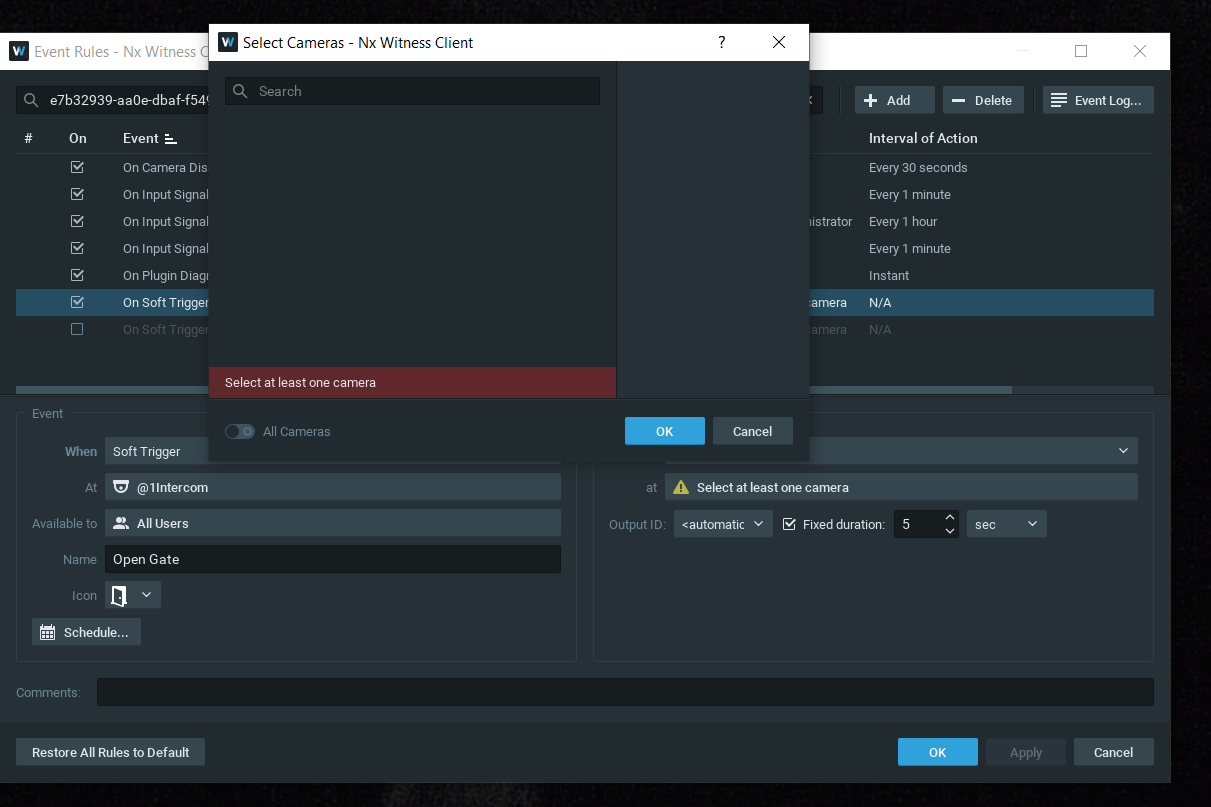
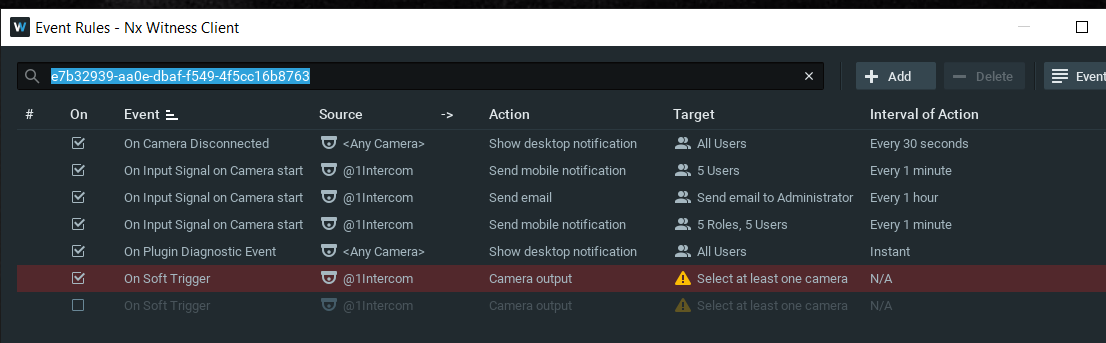
When I ran the Onvif test i got no response from the intercom's door bell button. I'm able to run the intercom as audio recorder and video recorder but unable to get a response from the input. with regards to the output i'm getting an error saying there is no device with an output.
as you can see below i've tried every combination but i'm still getting nothing, i've also looked for other firmware but i'm running the latest available online.
If i've missed something please let me know? I'm also happy if you would like to take a look at my setup?
Thanks in advance
 0
0 -
Hi Phill Romano,
Since the data sheet mentions Onvif, there might be something we can change in the code to make the output work for this specific device. In order to verify this, we need access to such device with the latest firmware installed via the device public IP address.
You can email the IP address, ports, and credentials to amsterdam@networkoptix.com.
0 -

Hi Norman and Phill,
I actually have a very similar request.
In the current system that was installed for the Wollongong Stadium in Australia, we used Aiphone video intercoms, entry panel model IX-DV.
I discovered the video stream without any problem, as in the Aiphone setting there is also ONVIF to tick.
The only problem is they (Aiphone) don't say what ONVIF profile they are compliant with.
I believe the ONVIF profile that handles alarms/access control is Profile C.
Do you have any information if anybody has managed to receive call buttons pressed or release door strike via ONVIF on the Aiphone IX-DV?
I have installed their lates frimware version v.5.6 and I have also posted this enquiry to Aiphone as well, but no response so far.
Thank you kindly.
0 -
It should be Onvif Profile S, since that is the profile we support, this includes video and audio.
It would be interesting to check it the call buttons are recognized as camera inputs and the door strike output are seen as a camera output. In that case it is easy.
If that isn't the case, you could add an I/O unit or some simple Ethernet relays that are able to send and or receive HTTP commands.
0 -
Thanks Norman,
Yes, I agree, if the intercom call buttons are recognised that will be the most desirable function, which is why asked if anybody knows of Aiphone behaviour.
They have not been connected by the installer yet, and certainly I will try them out once they connect them up.
Thank you for your Ethernet I/O device, something I have been considering as plan B, but it would be ideal if the intercom supports this since they claim ONVIF.
Thanks, and I will update this post once I know the outcome.
0
Please sign in to leave a comment.
Comments
10 comments