How can set high quality HLS option to camera
Answered
Dear Developer,
I find some camera which have high quality HLS option, but some camera only low quality hls.
How can set high quality HLS option to every camera?
Thanks.
I-Chia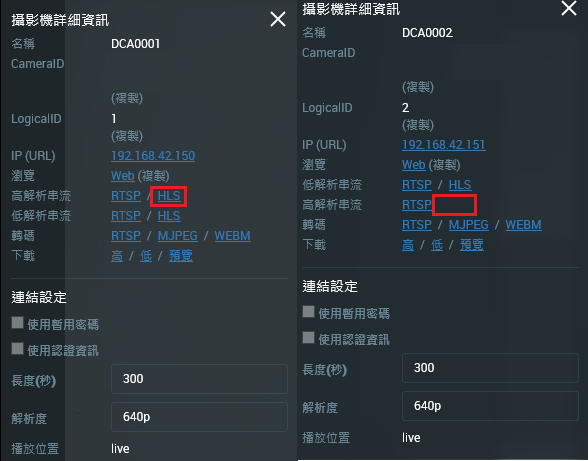
-

Hi Chung,
HLS only supports the native H.264 stream from the camera. Please share the following info to us:
- Camera vendor and model name
- Camera firmware version
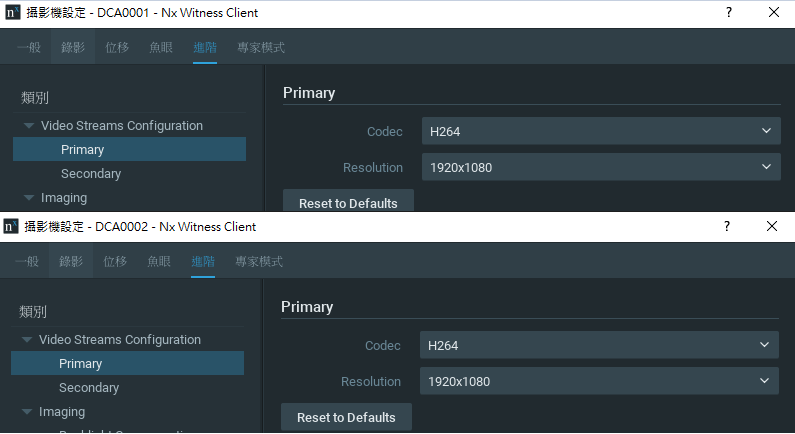
- Codec configuration of both stream
Thank you.
0 -
Hi Wendy Chuang,
Thanks for your response.
All of them are same. But, only one camera(DCA0001) have high/low quality HLS, the others only have low quality HLS.
The following is name, vendor, model name and firmware version of two camera(DCA0001、DCA0002).

We have setted H.264 stream at every camera.
Thanks.
I-Chia
0 -
Hi Chung,
Please take the screenshot of these cameras from the layout then provide it to us.
Remember to click the "Information" icon and check the codec of low/high resolutions.
Thank you.
0 -
Hi Wendy Chuang,
Thanks for your response.
After We click the "Information" icon , We find information of this camera(DCA0002) is H.265 stream. But its codec is H.264 stream in Viedo Streams Configuration. The following is screenshots about information and Setup of this camera(DCA0002).
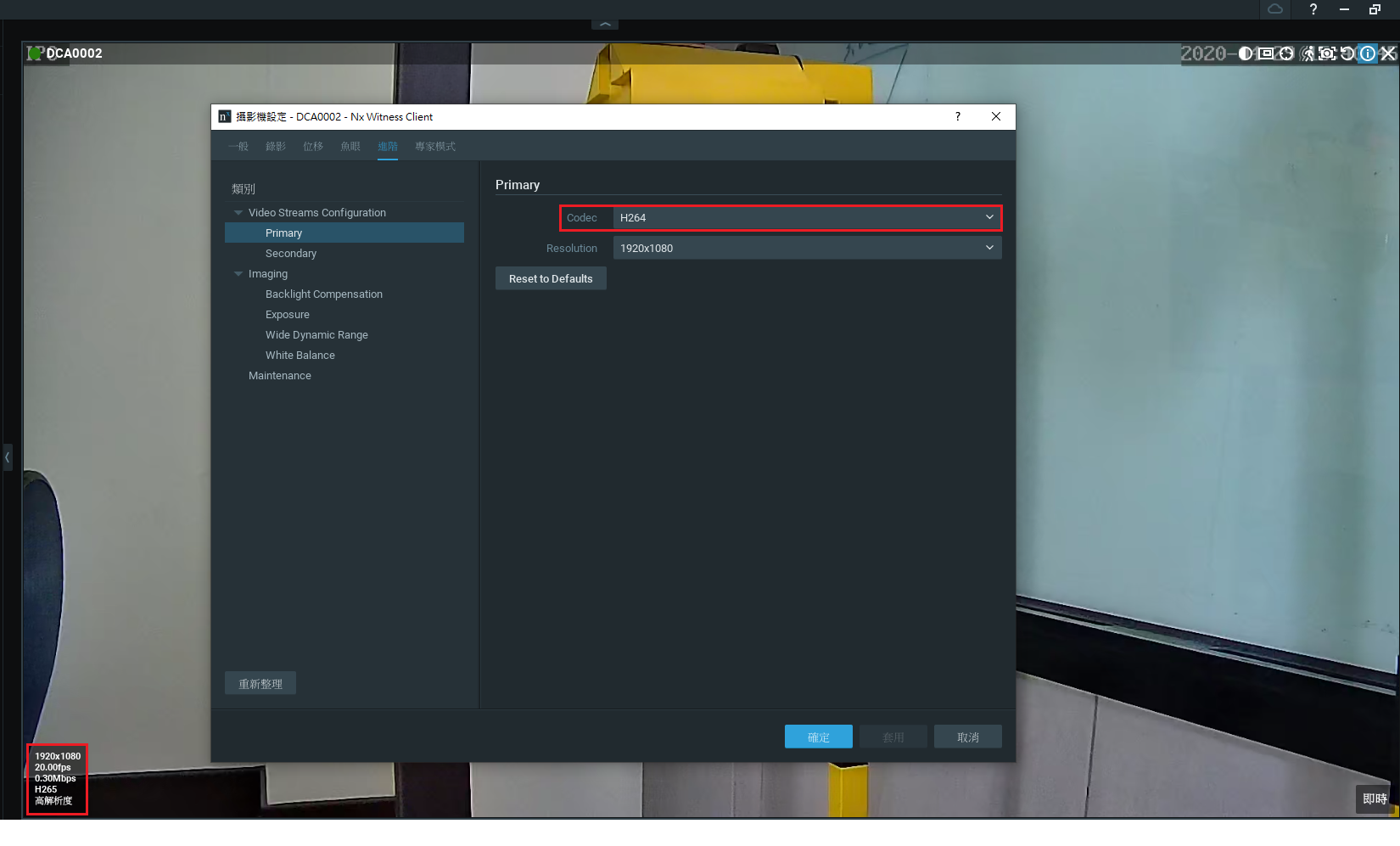
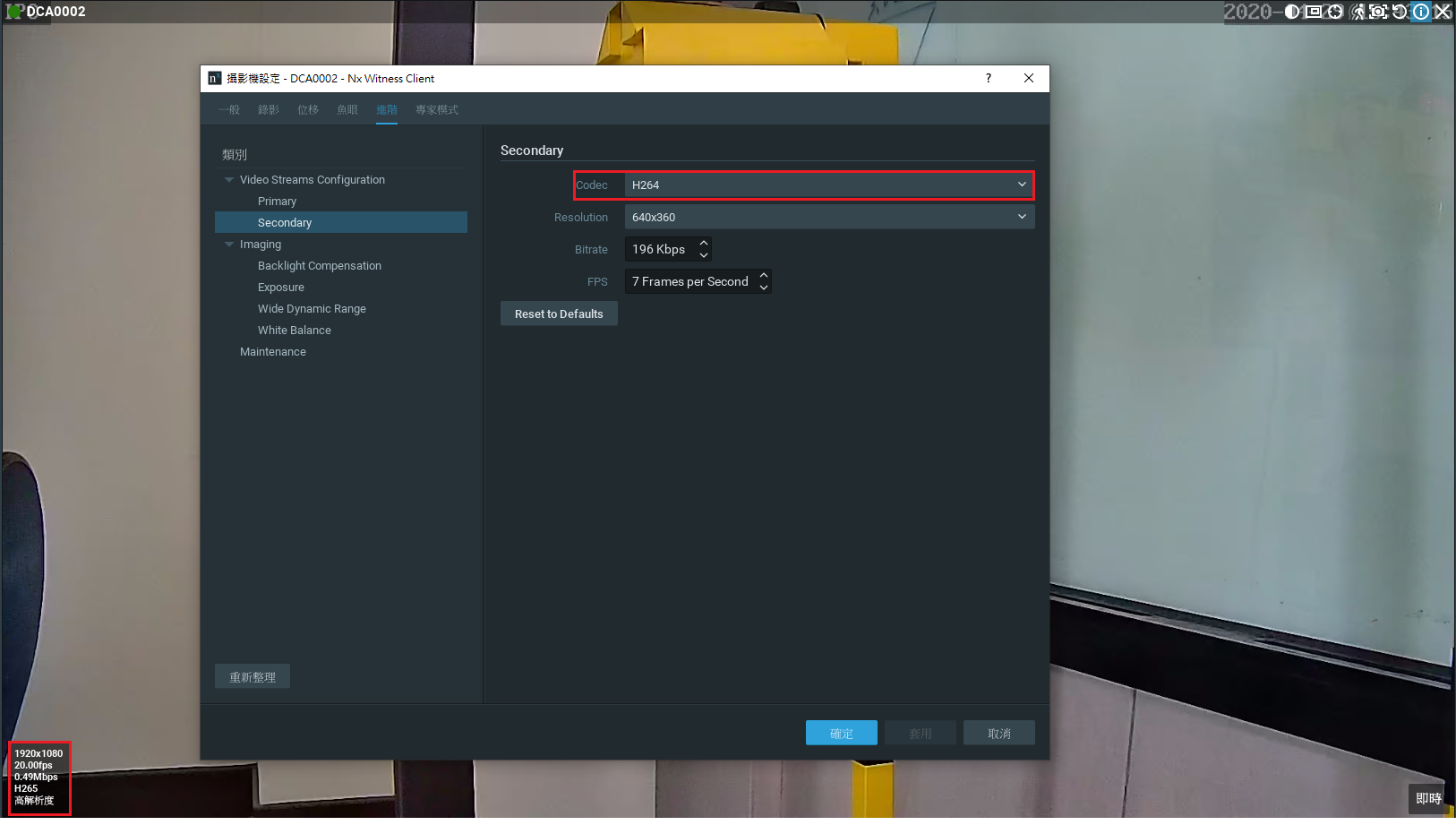
We have tried to change H.264 Stream again and then click OK . But its stream is still H.265 Stream. How we can change stream type?
Thanks.
I-Chia0 -
Hi Chung,
Please disable "Allow System to optimize camera settings " from the System Administration first. Then change the codec setting from camera webpage. You should be able to see the HLS option after changing to H.264 codec.
Thank you.
0 -
Hi Wendy Chuang,
Thanks for your response.
We have been able to see the HLS option after changing to H.264 codec.
Thanks.
I-Chia
0 -
Hi Chung,
Thanks. I'll mark this post as "Answered".
If you have further query, please submit the new post in the corresponding topic of community.
Have a nice day!
0
Please sign in to leave a comment.
Comments
7 comments