How can i add Hikvision dvr to Nx witness
Answered
I cant add Hikvision Dvr?
-

Hi Aneesh,
What did you do to add it?
In general Hikvision DVRs and NVRs should add automatically to Nx Witness.
I heard that the latest firmware of Hikvision had some issues and that you should enable Onvif manually.
Also, you should be able to add the streams as independent RTSP streams with the following URLs;
Primary Stream
rtsp://192.168.1.100:554/Streaming/Channels/101/
Secondary Stream
rtsp://192.168.1.100:554/Streaming/Channels/102/The bold number represents the number of the channel and could be changed per channel.
0 -
thanks for the reply sir.
i am using Hikvision DVR model DS-7216HGHi-K2 Model. i tried everything .
Dahua Dvr is adding automatically...
0 -
Hi Aneesh,
The latest firmware that is confirmed for us is V3.1.7, build 150515. You could try to roll back to this version.
Also, if you can forward the device to us, we are more than happy to see what we can do. You can email the login credentials (public IP address, ports that have been forwarded and the admin credentials) to <removed>.It surprises me really that the RTSP streams also don't work. Do these RTSP URLs work in VLC player?
0 -
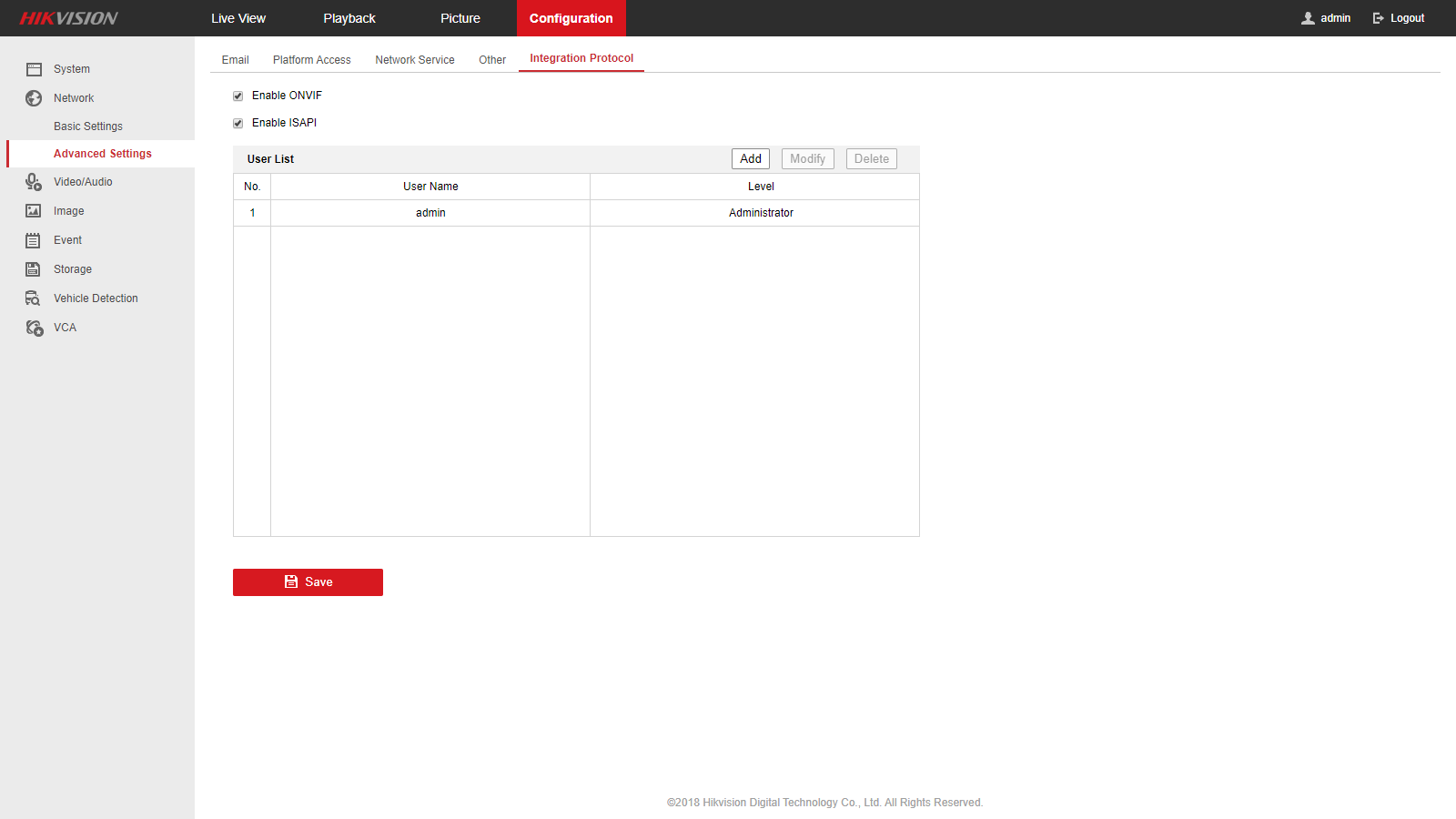

 Hi sir,
when i go through your devices support list, it don't shows my devices name. "Hikvision DVR model DS-7216HGHi-K2" this model is not shown in your list. is there is any other option to add hikvison dvr. all new Dahua devices is working fine.
0 -
Hi Aneesh,
Please respond to the proposal and questions in my previous reply.
0 -
Hi Aneesh,
Did you already had some success?
0
Please sign in to leave a comment.
Comments
6 comments