Showing parent server in camera setting window
Answered
Dear all,
It would be great if we can see the parent server of the camera from the camera settings page. It might be easy to spot cameras and its parent server in a small installation. If you have 500+ camera, it is not easy to find the parent server of a particular camera. It would be much easier if this information available in the camera settings page, or in the camera right-click menu
-
Official comment

Hi @...,
The current easiest method is to check the Camera List which you can find in the System Administration menu (Ctrl+Alt+A), tab General or by clicking Ctrl+M.
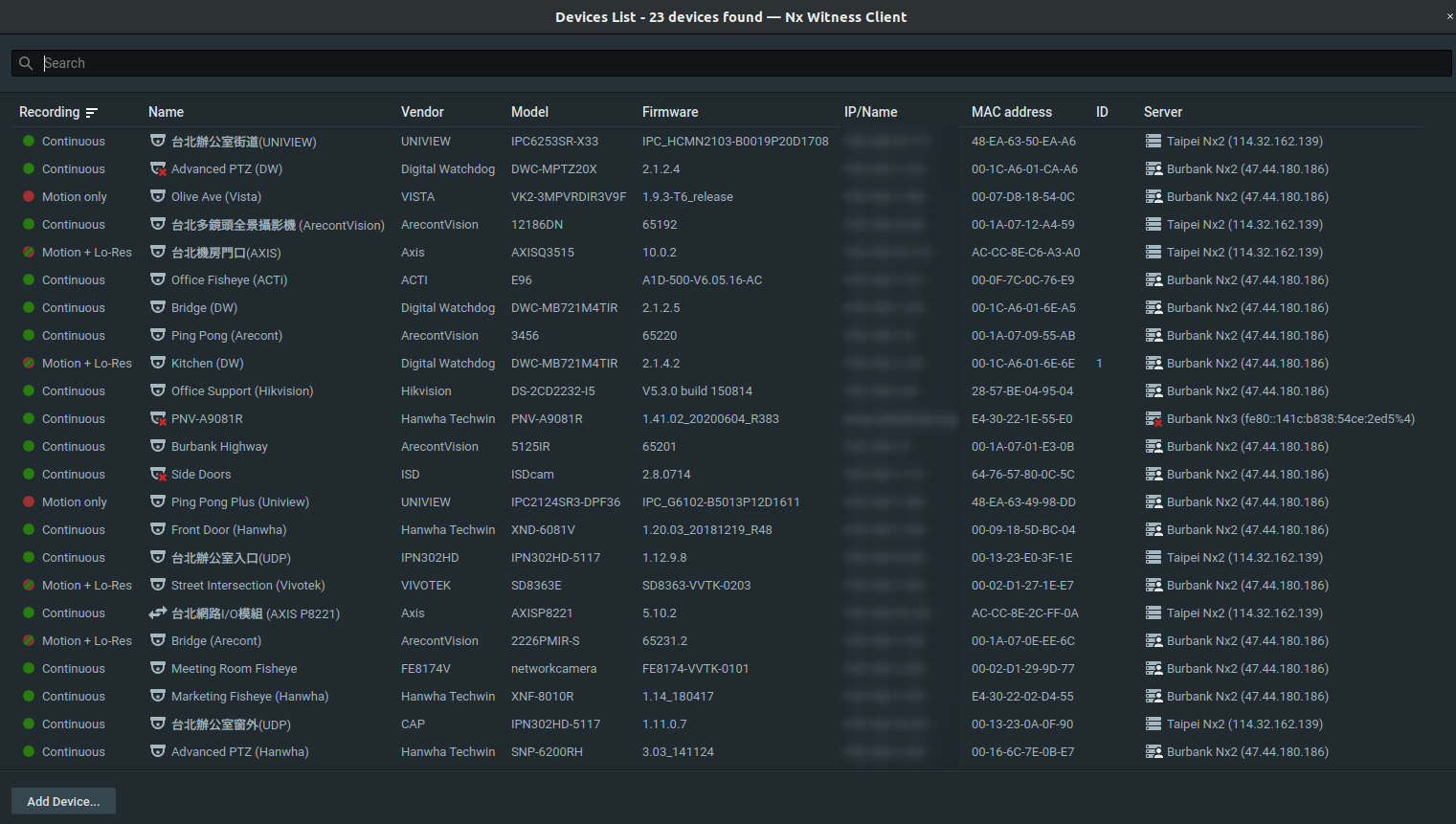
Here you can sort on each column or search for specific name, vendor, model, firmware, IP, or MACaddress.Please feel free to send us any other comments or questions and have a great rest of your day!
-
Tolga,
We are planning to add current server to camera's settings window in the 4.2.
It may be postponed due to a lots of other issues, but I hope it won't--
VMS-16818
0 -
Hi Norman and Aleksandr.
Thank you for the update.
Regards
Tolga
0
Please sign in to leave a comment.
Comments
3 comments