Large bounding boxes are not displayed
Completed
When sending ObjectMetadataPacket from a custom Analytics plugin, bounding boxes with large width or height (covering a significant portion of the video frame) are not displayed in NX Client, even though the data is valid and received by the server.
Example coordinates that do not display:
{x: 0.173, y: 0.189, width: 0.426, height: 0.495}
{x: 0.173, y: 0.189, width: 0.526, height: 0.495}
{x: 0.173, y: 0.189, width: 0.626, height: 0.495}
{x: 0.173, y: 0.189, width: 0.726, height: 0.495}
Example coordinates that do display:
{x: 0.173, y: 0.189, width: 0.326, height: 0.495}
Steps to Reproduce
- Implement a custom analytics plugin using the NX SDK.
- Send
ObjectMetadataPacketwith a bounding box whose width + x exceeds ~0.58. - Observe in the live NX Client that the bounding box is not rendered.
Expected Behavior
All bounding boxes provided in ObjectMetadataPacket should be rendered, regardless of size, as long as the coordinates are valid (0.0–1.0 normalized).
Observed Behavior
Bounding boxes exceeding ~60% of the frame width are ignored by the NX Client overlay engine.
Additional Information
- NX SDK version: 6.0.6
- NX Client version: 6.0.6
- Bounding box coordinates are normalized (0–1).
- This affects both live and playback streams.
-

Hi Albert,
Thanks for your report. However, I wasn’t able to reproduce the issue you mentioned regarding the “large boundary boxes.”
I tested using the example values you provided:
{x: 0.173, y: 0.189, width: 0.426, height: 0.495}
{x: 0.173, y: 0.189, width: 0.526, height: 0.495}
{x: 0.173, y: 0.189, width: 0.626, height: 0.495}
{x: 0.173, y: 0.189, width: 0.726, height: 0.495}
even {x: 0.173, y: 0.189, width: 0.999, height: 0.495}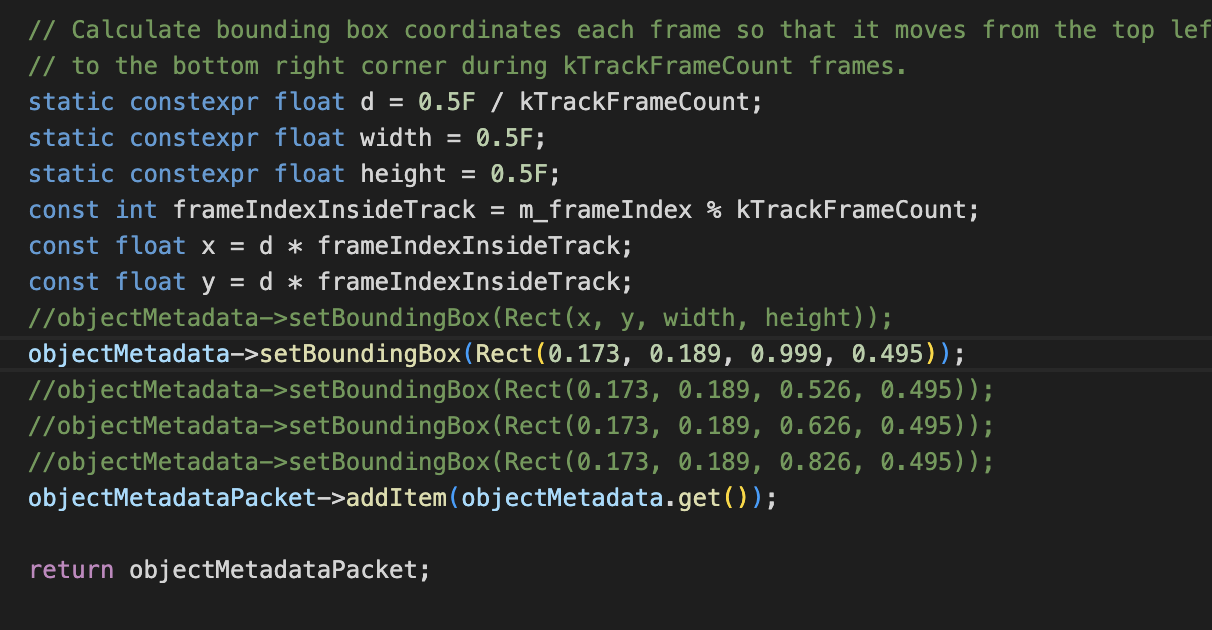
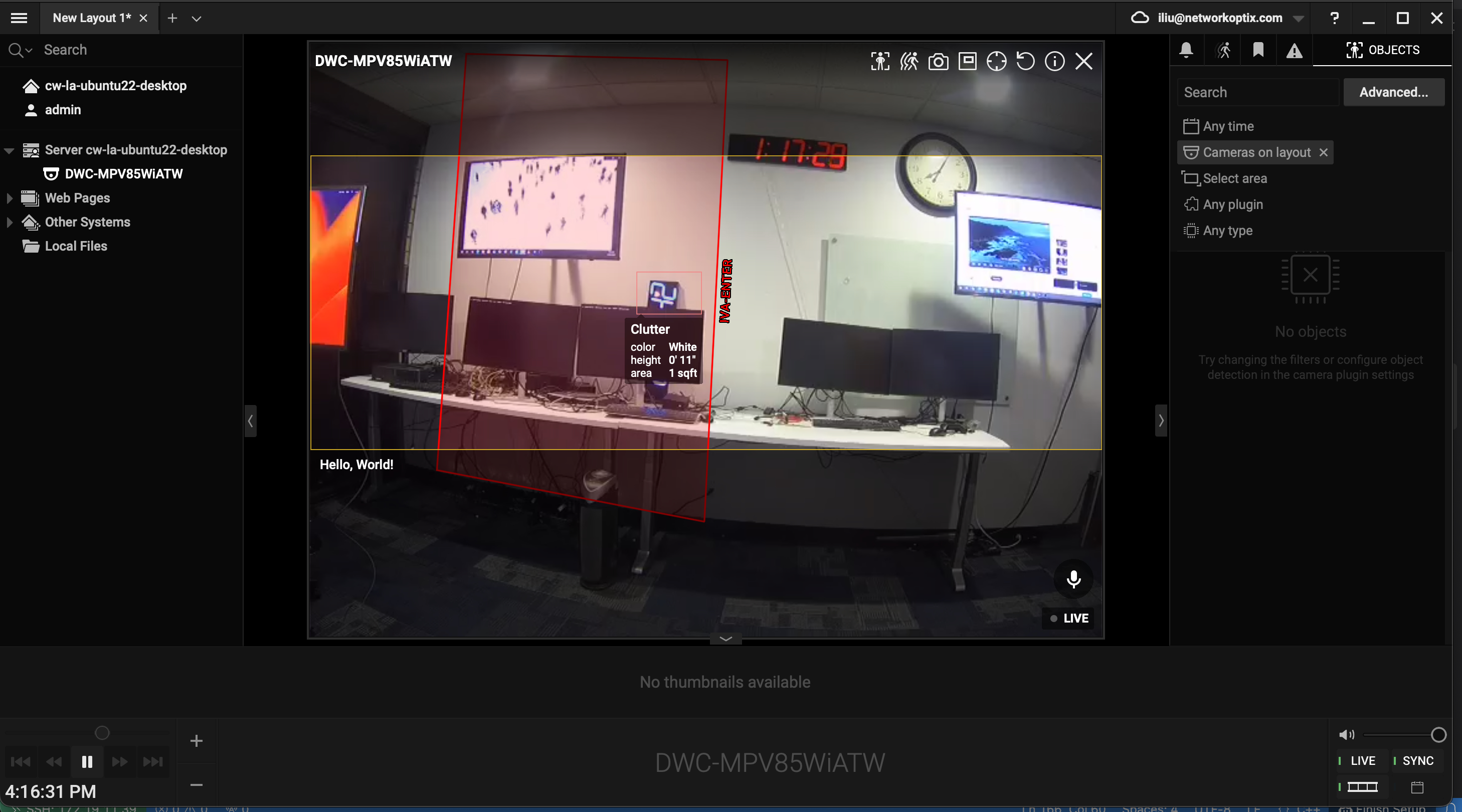
Could you please confirm the behavior you observed and share a screen capture or short video demonstrating what you mean by “not display”?
Also, please confirm whether you applied the same boundary boxes to the same object or to different objects.
At this point, there doesn’t seem to be any issue with large boundary boxes themselves — it’s more likely that the objects were duplicated, overlapped, or otherwise conflicted.
Thanks for your help in clarifying this.
0
Please sign in to leave a comment.
Comments
1 comment