Share system API
Completed
Hi team,
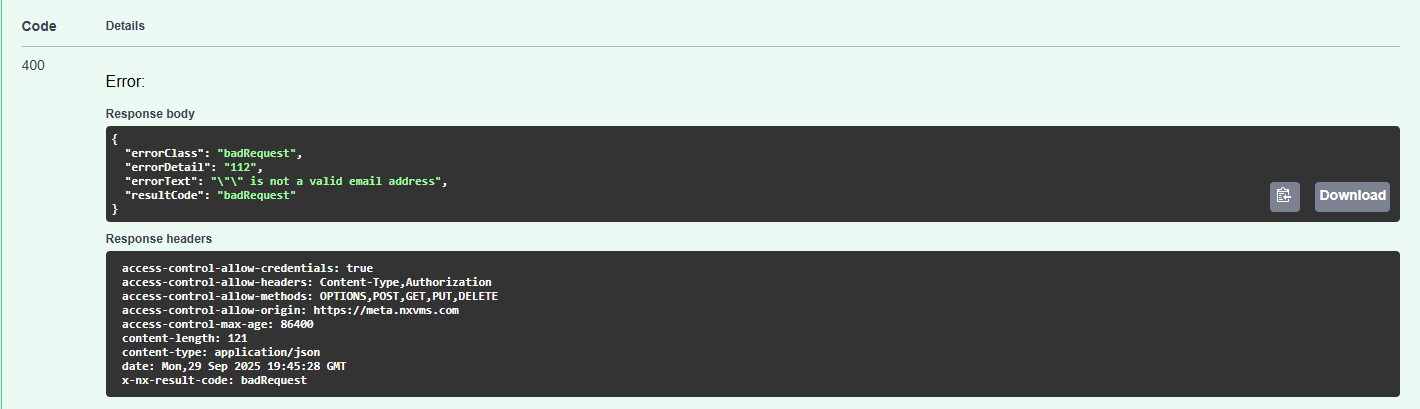
Just realized the share system api changed lately, when I try the new api, no matter what email I put in the request body, it will respond with badRequest as snapshot below.
/cdb/v0/systems/{systemId}/users
{
"sendNotification": {
"accountEmail": "xx@gmail.com",
"roleIds": [
"00000000-0000-0000-0000-100000000002"
],
"permissions": [
""
],
"isEnabled": true,
"vmsUserId": ""
}
}
-
Just add some additional test outcome, I found out if I use my old request body, user will receive the invitation and access system, but in the system ui, it won't display this user. And the system is v6.0.5
{
"accountEmail": "xx@gmail.com",
"accessRole": "advancedViewer",
"userRoleId": "",
"customPermissions": "",
"isEnabled": true,
"vmsUserId": ""
}
0 -

This is likely the test page has mis-format in the request body, the sendNotification should not nest the whole part.
The correct request body will be :
{
    "accountEmail":"xx@gmail.com",
    "roleIds": [
      "00000000-0000-0000-0000-100000000004" //roleId
    ],
    "permissions": [
      ""
    ],
    "isEnabled": true,
    "vmsUserId": ""
}
With this request body, it should help you to properly send out the share request via
POST /cdb/v0/systems/{cloud_system_id}/users
Just a reminder, you may request the access_token from the cloud portal for this cloud_backend request, the "scope=" while request the token should be omitted.
Thanks.0
Please sign in to leave a comment.
Comments
2 comments