Request for Camera People Counting Feature Development
Answered
Dear Team,
We are looking to develop a people counting feature for our plugin, which will display the number of people entering and leaving on the NX platform. Could you please provide any methods or sample code that we can reference to achieve this? We look forward to your response.
Thank you!
Best regards.
-

Hi Uniview team,
At the moment, we do not provide sample code for VCA plugin development specific to individual manufacturers. However, you are more than welcome to explore and utilize the available code within the Metadata SDK package for your development.
Regarding your request for continuously displaying data on the video cell through external integration—this functionality is not currently available. However, there are two alternative approaches you might consider:
Option 1: Embed Text on Video Stream
The easiest approach would be to render the people-count or other metrics directly onto the camera’s video feed before sending it to the Nx Mediaserver. This method gives you full control over the visual layout and parameters from your end, and users can manage the display configuration through the camera’s web interface. This solution does not require VMS-side logic and may be more suitable for general deployment across projects.
Option 2: Use “Text Overlay” via Events
Alternatively, you can leverage the “Text Overlay” action available in Nx Witness. The plugin (via the device_agent) can generate metadata events with the count or other values included in the event payload.
These values can then be displayed on screen via the Text Overlay feature. This approach is similar to how environmental sensor metrics (e.g., air quality levels) are delivered and displayed through metadata events and triggers.
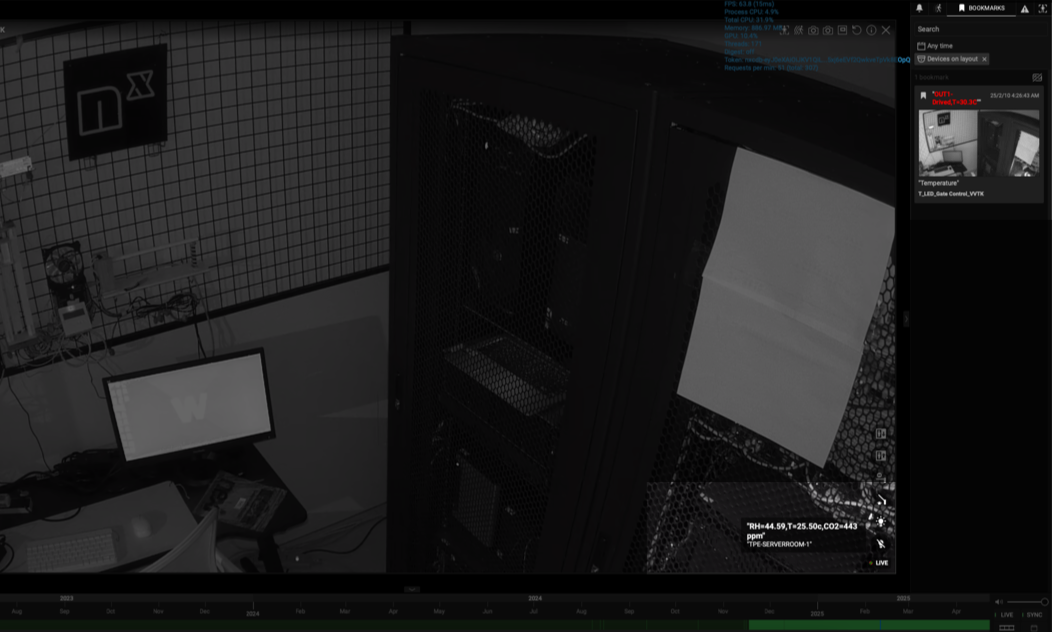

To achieve this, you may utilize the settings page within your device agent to configure the alarm thresholds, or guide the user to the camera’s web interface to adjust the necessary parameters. For example:
• Ensure that the connected camera supports people counting functionality.
• In the settings page of your plugin, provide a configuration UI or include a link that redirects users to the camera’s web interface.
• Use the available SDK/API to predefine event rules and actions within the plugin logic.Since the SDK/API offers the required capabilities, this could be also a possible approach to implement a people counting plugin with customizable alerts and actions.
Thanks.
0 -
Hello:
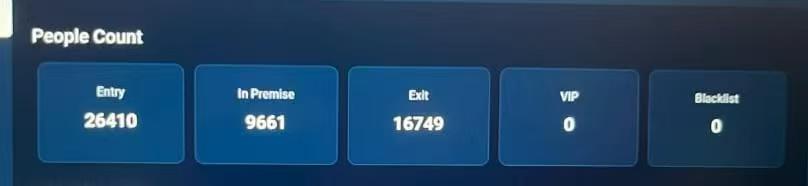
We have obtained an image like this, and we want to implement a similar person counting effect. Could you please advise on any good methods to achieve this?
Best regards!
 0
0 -
Hi Uniview Team,
The image you provided is heavily cropped and offers very limited visibility into the relevant information.
If you require further assistance, please ensure that you provide complete details—such as the full screenshot, the context of where it was shown, and a brief explanation of what the content refers to.
Also, if you alreaday have the fixed image, like I said, the easiest way is “Option 1: Embed Text/Image/Overlay on Video Stream” . This method gives you full control over the visual layout and parameters from your end, and users can manage the display configuration through the camera’s web interface.
Another possible solution would be to display the result or graph on a web page, and then open that web page within the Nx desktop client by the embedded browser. As you mentioned, the purpose is for display and there’s no need for direct interaction with the image, this approach could be more flexible. It avoids unnecessary coupling to a single UI page and helps reduce implementation complexity and maintenance cost—especially for such a straightforward use case.

As a result, the appropriate approach can vary significantly depending on whether your goal is presentation or another use case. We encourage you to carefully consider your actual requirements and intended purpose before making a decision.
#Please note that we are not in a position to make this determination for you—there is no universally “best” method, only the option that best aligns with your specific needs.
Thank you for your understanding.
0
Please sign in to leave a comment.
Comments
3 comments