CORS POLICY ISSUES
Answered
I make a javascript call to make the requests and I have this error regarding the CORS Policy:
Access to fetch at 'https://192.168.1.20:7001/api/createEvent?source=TEST&caption=647469&description=Poste%3A%20TEST%0AUtilisateur%3A%20CASTILLO%20Abiga%26%23235%3Bl' from origin 'http://local.backstage.fr' has been blocked by CORS policy: Request header field authorization is not allowed by Access-Control-Allow-Headers in preflight response.
Is it possible to add the following domains to the server configuration so that they are allowed to make requests?
- http://local.backstage.fr/
- https://backstage-val.modz.fr/
- https://backstage-pre.modz.fr/
- https://backstage.modz.fr/
Tks
-

Hi sav,
Thanks for your question.
Have you tried to put the domain URLs in the settings ofsupportOriginsand enable the configuration ofcrossDomainEnabled?This should help in most cases. Also, please remember to restart the Media Server and reset all network connections after applying any changes to ensure they take effect properly.
You can access the settings via WebAdmin at:https://{mediaserverIp}:7001/#/settings?advanced=true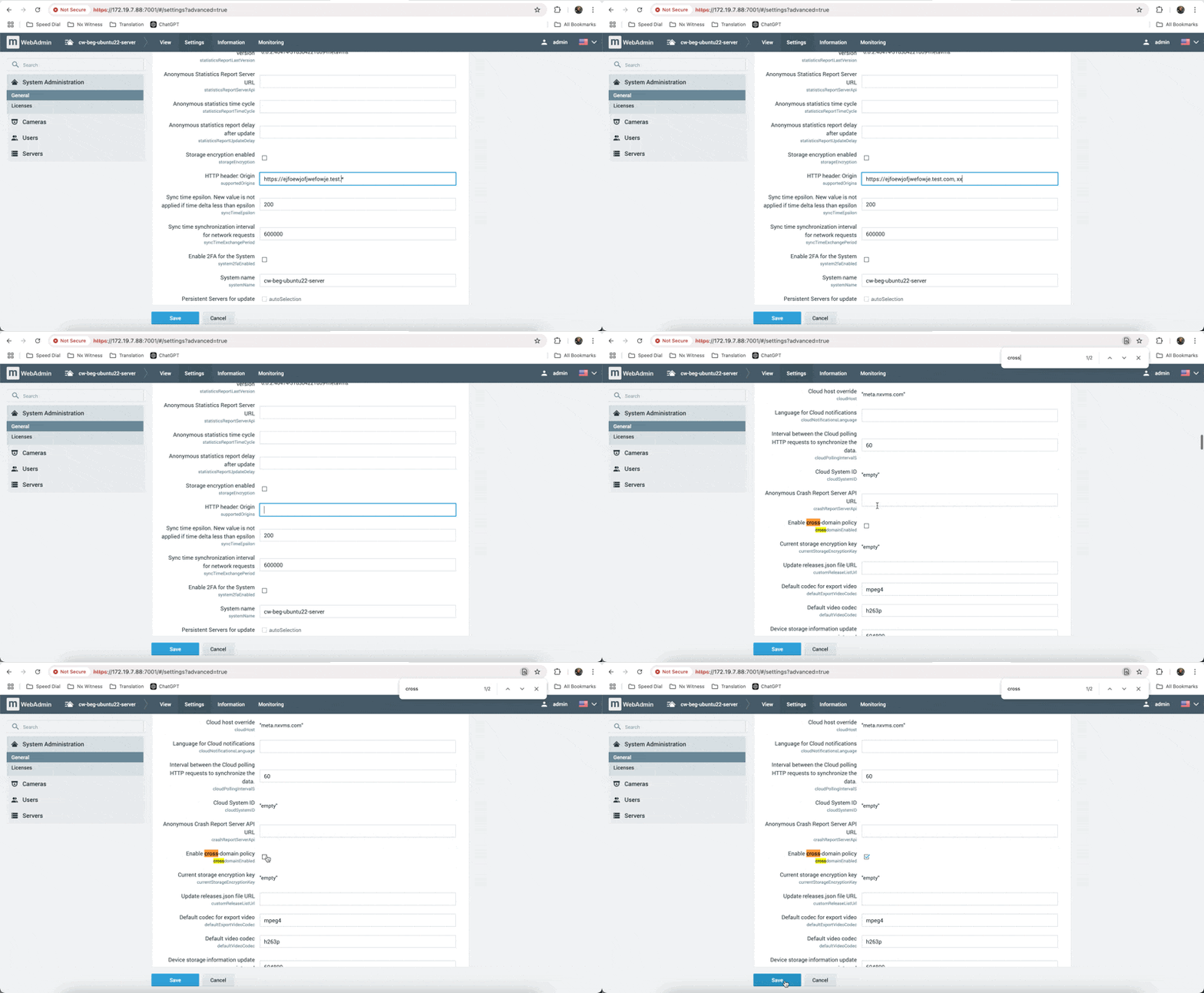
*Please note that you must log in using the Administrator account (system owner) or a local admin account in order to access this hidden page.
0 -

i have enabled the cross domain policy and updated the header origin but still hit the CORS error
0
Please sign in to leave a comment.
Comments
2 comments