Encoder issue with DW shuffling channels
Completed
We have an issue that's been ongoing and affects multiple sites.
Initially, we thought it was related to Hikvision NVR and Cambium pairing, but its shown up in Hikvision with Ubiquiti and Dahua with Ubiquiti environments as well.
The issue is that with a loss of signal on some channels, DW is reshuffling the channels. It does not show the "OFFLINE" message, but rather reloads another channel.
If 6 cameras go down, DW forgets those channels and then drops the others down
i.e. CH6 drops, so 7 becomes 6, 8 becomes 7, etc.
We wind up with duplicates at the end of the chain and cameras are all over the place.
A restart of the media server resolves the issue immediately.
The primary and secondary stream changes from rtsp://192.168.0.17:554/ISAPI/Streaming/channels/501 (and 502) to rtsp://192.168.0.17:554/ISAPI/Streaming/channels/601 (and 602) but the camera ID remains correct.
This occurs for even a brief loss of signal (such as 2 seconds or so) which is why i believe we are seeing it more with wireless links.
If i force restart 1 camera by cycling PoE on the remote switch, the issue does not occur - the system behaves normally with the "OFFLINE" message and restores. If i drop the switch with 6 cameras, the cameras jump.
During that time the log on the NVR shows "Remote: Configure Parameters", "Remote: Trigger Alarm Output", "IP Channel Alarm Arming Failed"... there were more than 72 total events in the exact same timestamped second in the log.
The NVR does not jump channels around, in some cases does not lose the image, and recordings are fine. Reviewing ODM when the cameras drop, i see that the ProfileName and VideoSourceToken for those channels disappear - example below showing cameras 22 - 26 missing. They come back once rebooted but DW does not restore the correct channels.
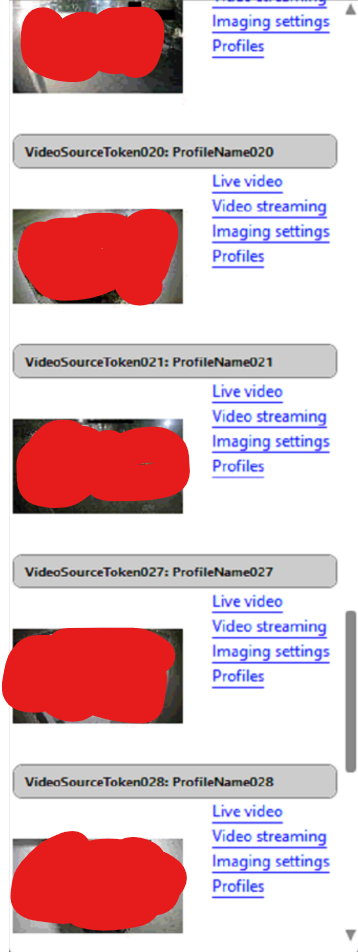
We've tried with DW support on multiple occasions and the latest level 2 suggestion was to swap 15 encoder licenses for 15 IP licenses, a tall order for a client who purchased a 78 camera system.
Also tried setting to keep stream and profile, allow system to optimize camera settings (off), enabling autodiscovery (off), tried adding the NVR with auto, and with manual (added manually now), and changing ONVIF to "viewer" from "administrator" in the NVR.
Currently have 15 trial licenses recording via RTSP stream for the customer, without any issues. Have not tried adding those as IP devices directly.
Please let me know your thoughts
-

Hi SD,
This is a common issue with Hikvision NVRs, and we do have a workaround for it.
However, this workaround requires forwarding the device to us so that we can tweak and verify the configuration in our test environment before sharing the change file with you.
I have created a ticket for you, so please share the device information and continue discussing the issue via email.Thank you.
0 -
Thank you very much. I have responded to the ticket and we can go from there.
0
Post is closed for comments.
Comments
2 comments