Encoders need to be added to list
Answered
Good afternoon,
I am hoping Norman can assist with this as past similar issues have been resolved.
Unfortunately, I have attempted to go through the correct Support Channel but they seem to be misunderstanding despite having processed similar before. (Can provide more details on a trouble ticket privately if needed).
The issue is 2 systems with 3 Dahua NVRs that are new and not yet identified as Encoders. They are adding as multi-sensor cameras and asking for Pro licenses not Encoder licenses as a result.
We have two systems:
System 1: Has ONE Dahua N84B5N
System 2: Has TWO Dahua N82B3P
All three are adding as Multisensor if added manually, if added by discovery they show as camera but won't authenticate.
System 1:

System 2: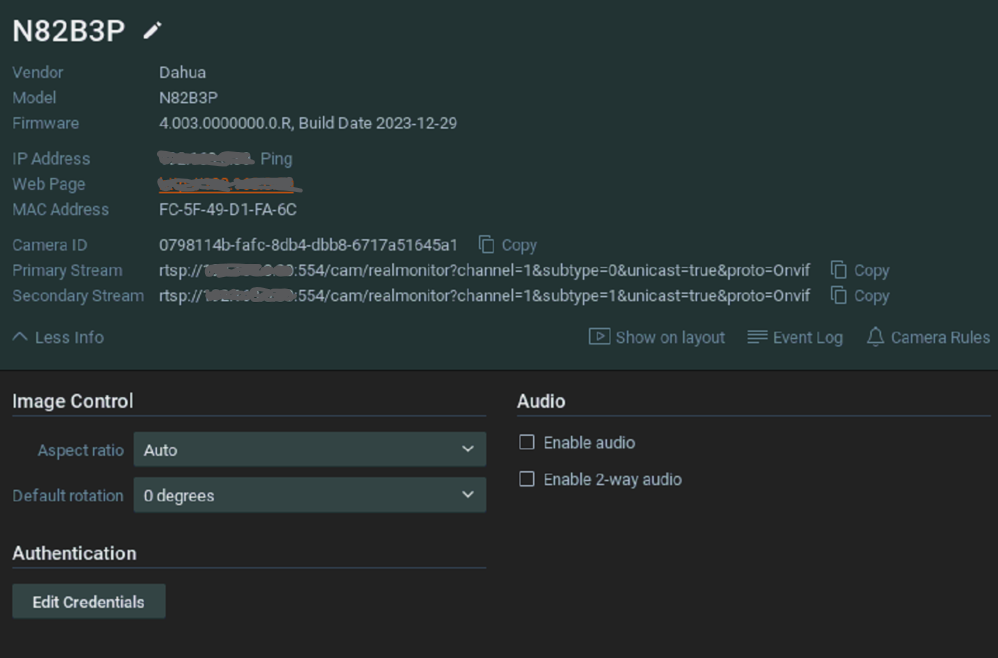
Thank you so much, in advance.
-
Just received an update from them. They may have figured it out and are creating a ticket and escalate this to the dev team for review.
FYI, in case their ticket is resolved prior to this one.
Norman - I don't have confidence they will
0 -

Noted! Thanks for the update SD.
0 -
Hi SD,If they didn't, no worries, HERE is the file you need.
Please follow the steps as described below:
- Stop the mediaserver application and paste the resource_data.json file in the link at the following location:
For Windows: C:\Program Files\Network Optix\Nx Witness\MediaServer
For Linux: /opt/networkoptix/mediaserver/bin/ - Now start the mediaserver application again.
For Windows: Open the task manager, select tab ‘Services’ find the mediaserver application, right-click and select; Stop or Start
For Linux: Open the terminal (Ctrl+Alt+T) and enter the following command;
sudo service networkoptix-mediaserver stop or sudo service networkoptix-mediaserver start.Could you please confirm that this meets your requirements? Once we receive your confirmation, we will proceed with the necessary updates, and we will be adding it to a future patch.
Best regards.
0 - Stop the mediaserver application and paste the resource_data.json file in the link at the following location:
-
Thank you Norman , unfortunately that did not work for either server.
Removed the NVR, stopped the service, moved the file, restarted the service, added the NVR back in.
Still adds as Multisensor
If it makes a difference, both are running 5.1.2.37996.
Manual add and auto-discovery; same behaviour (Edit: only difference is Camera ID is different)
0 -
Hi SD,
That is surprising.
Could you share the version number you'll see when you run the following API request?
https://<serverIp>:7001/rest/v2/system/resourceData
Would it be possible to access the devices through port forwarding?
If so, I'll transfer this ticket into a support ticket, so you can share all details privately.0 -
Thanks Norman
I presume we are looking for "version": "5.0.0.563",
Neither system has a version number that i can see.
Happy to do port forward or TV for you as well.
System 1:
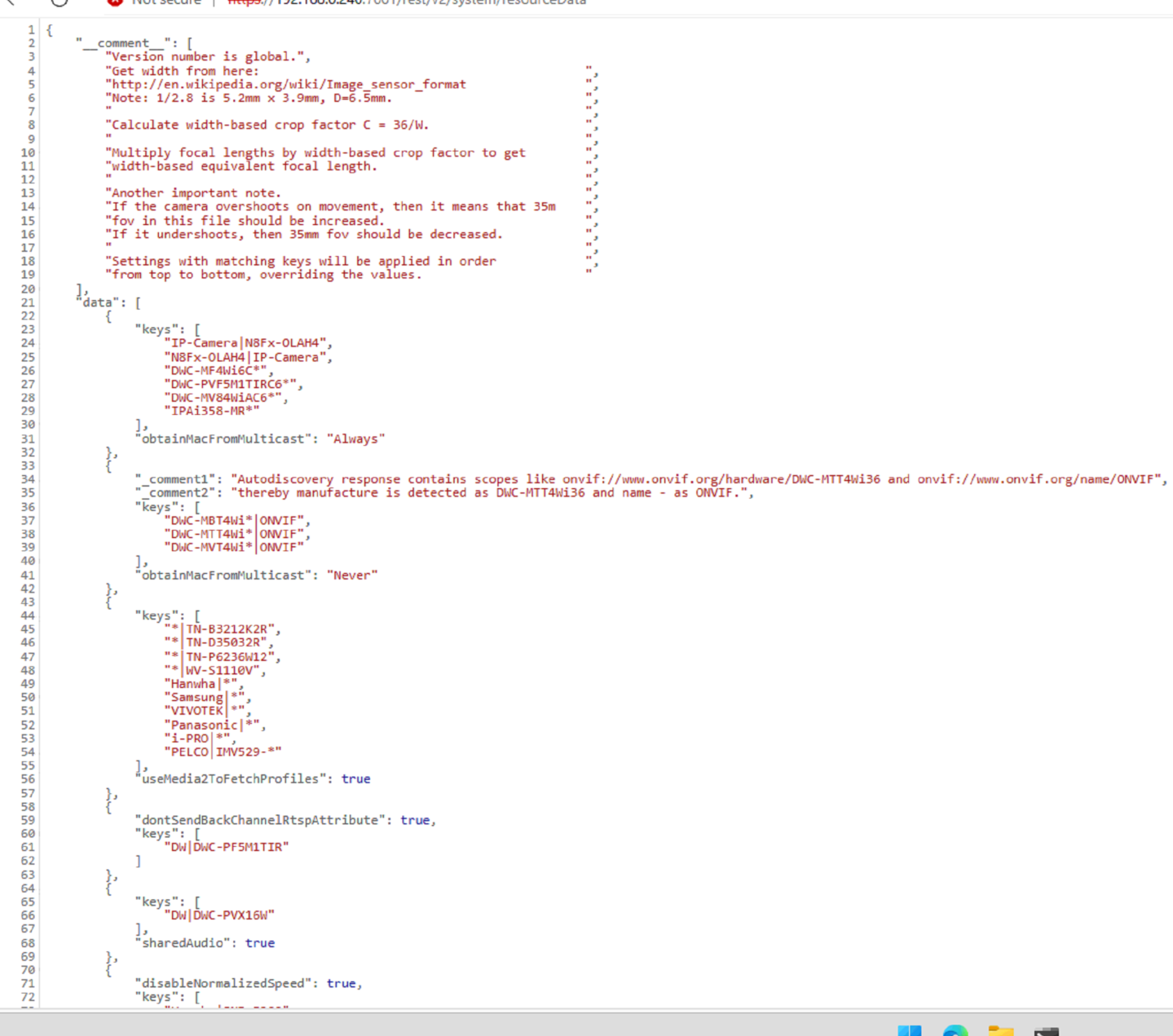
System 2:
 0
0 -
Perfect!!!
Thank you Norman for the awesome support again!!!0 -
Hi SD,
Thank you for the confirmation.
The fix will be added to the source in the near future.
Best regards!
JIRA-VMS-51718
0
Post is closed for comments.
Comments
9 comments