2 way audio oddity
Completed
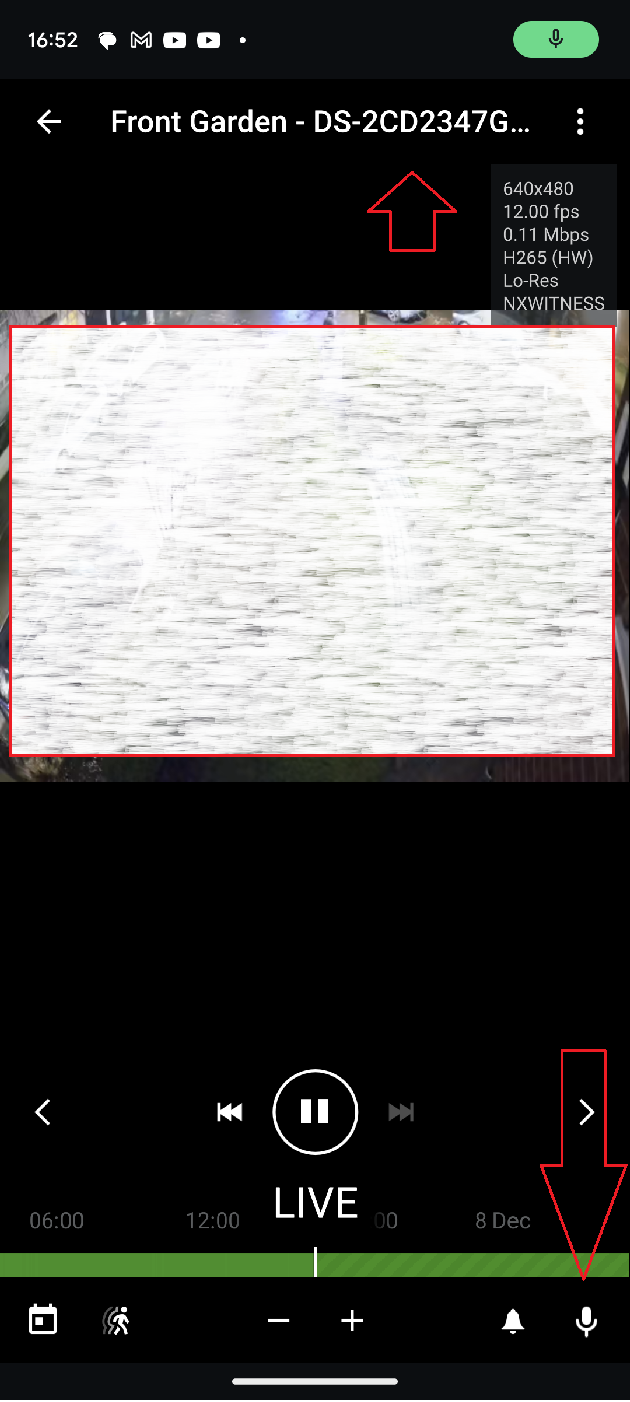
EDIT - I continued with my testing and note that the speaker options are available on the mobile client on each of the configured cameras. I think this is a UI bug in the desktop client. Hopefully this helps narrow it down a little.
----
Afternoon All,
I've got a bit of an oddity with 2-way audio and an IP tannoy - not sure where to go from here. Open to suggestions.
I've got a TOA ip-a2pg tannoy, which instantly shown up in the device list. Entered the credentials and it just worked. I can press the microphone and it broadcast as expected.
Tried to turn on 2-way audio on a camera (HIK), selected the TOA tannoy from the "transmit audio stream to" and the microphone icon appeared, but it was greyed out.
Tested with another Dahua camera. 2-way audio, TOA tannoy - same results.
Out of curiosity, I tried a 3rd HIK camera and the microphone icon appeared and worked in the client. The other 2, still wouldn't change.
What am I missing?
NX Witness vesion is 5.1.1.37512 (Latest)
two HIK cameras are: DS-2CD2347G2-LU
Suggestions?
-

- Authorized Reseller
Hi Glen, Please can you list all the cameras you are using.
0 -
Hi Lloyd,
This is a test system, so a little bit of a mix at the minute. These are all mapped to the TOA IP Tannoy, but only one displays a microphone icon that is usable:
Working: 1 Hikvision DS-2CD2347G2-LU (Firmware: V5.5.801 build 211105)
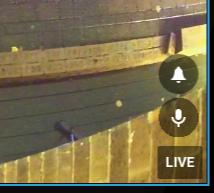
Not Working: 2 Hikvision DS-2CD2347G2-LU (Firmware V5.5.800 build 210628)
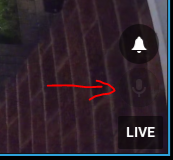
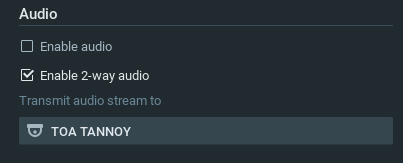
Not Working: 3 Hikvision DS-2CD2347G2-LU (firmware V5.5.150 build 200927)
Not Working: Generic PTZ Hi35xx (Firmware: V001)
Not Working: Dahua HDBW (3.2.1.984706)From a mobile client, the same camera with the screenshot above, can be seen showing the microphone icon (HIK 2):
Kind Regards
0 -
- Authorized Reseller
Hi Glen, this seems a little strange. Might be a camera firmware issue (but I am not certain of that). Does the audio actually work via the phone app? What is your computers operating system?
0 -
Hi Lloyd. I initally thought camera firmware, but the mobile app does work (as per the screenshot above) for any camera mapped to the TOA IP tannoy.
As the camera audio is mapped to an external camera, I assume (right or wrongly) that the firmware shouldn't matter on the camera side.
Clients tested are Windows 10, Windows 11 (same behaviour for both) and mobile which is fine.
"Server" OS is Windows 11 for tesitng until it gets created on it's final platform.
0 -
- Authorized Reseller
Thanks Glen, as the phone app works there must be something in the client that needs addressing. Lets see if I can get Network Optix to take a look at this.
0 -

Hi Glen Rippon,
I'll convert this topic, into a support ticket, and we can continue the conversation there.0
Post is closed for comments.
Comments
6 comments