VMS did not send RTCP Sender Report to client side
Answered
Hi,
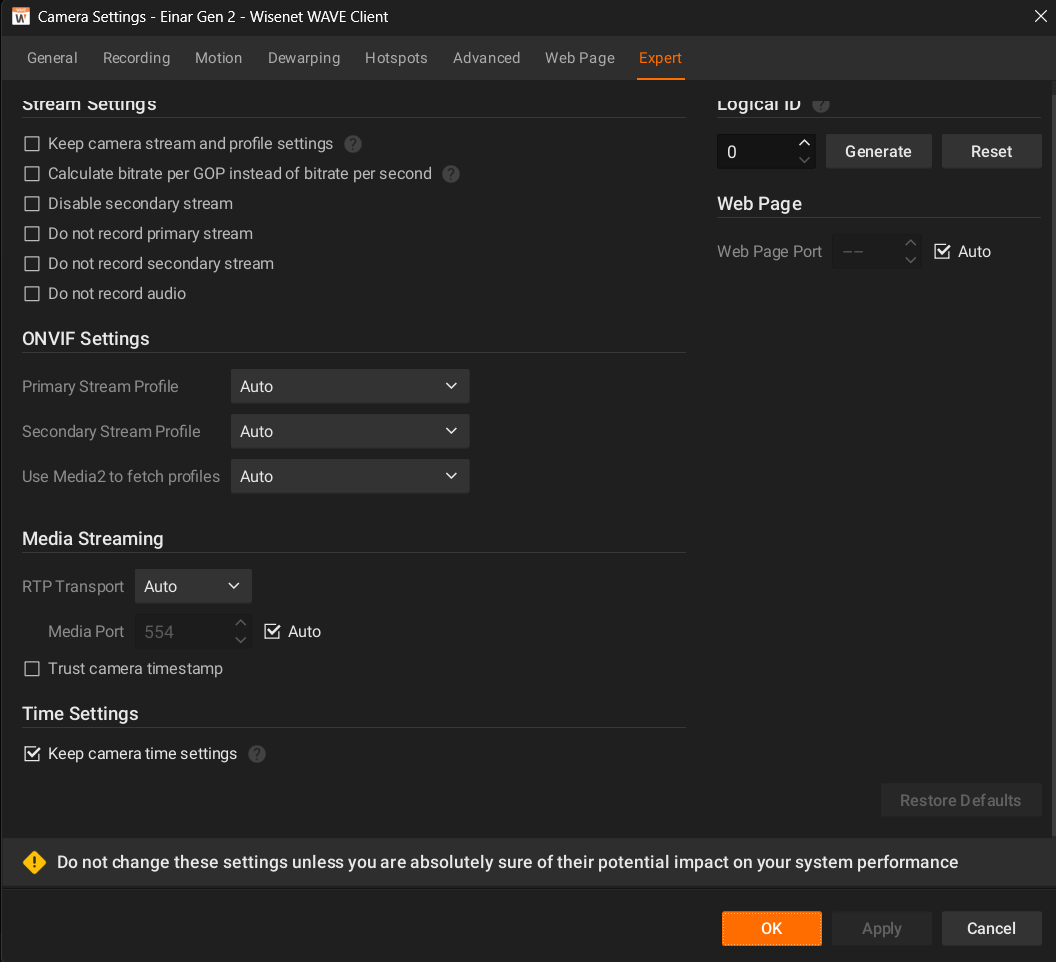
We set "RTP Transport" to TCP and enbale "Trust camera timestamp".
Then run our app in DeepStream 6.0 docker and the RTSP source is from HANKEST VMS.
The RTCP packets shown in vms-rtsp.jpg.
IP 10.78.26.216 is VMS, 10.78.153.156 is docker host and 172.17.0.3 is DeepStream docker.
There is no RTCP "Sender Report" from VMS (but many RTP "Sender Report")
so our app cannot get correct timestamp (NvDsFrameMeta.ntp_timestamp always is zero).
<vms-rtsp.jpg>

We also tested our app with rtsp-simple-server (docker aler9/rtsp-simple-server).
The RTCP packets shown in rtsp-simple-server.jpg.
IP 10.78.26.241 is rtsp-simple-server, 10.78.153.156 is docker host and 172.17.0.3 is DeepStream docker.
There are RTCP "Sender Report" and app work fine (NvDsFrameMeta.ntp_timestamp is not zero).
<rtsp-simple-server.jpg>

Can VMS support RTCP "Sender Report"?
How to enable it? Could you help us? Thanks.
-
In fact, we also tested VMS by setting "RTP Transport" with UDP (although RTCP over UDP does not work in Docker case) and VMS can send RTCP Sender Report out. As a result, we suspect VMS does not support RTCP over TCP yet.
Will VMS support RTCP over TCP in the future?
By the way, the Sender SSRC is zero in RTCP Sender Report. Is it correct?
 0
0 -

Hi Minfeng Hong,
I hope this message finds you well. While reviewing our community discussions, I noticed that there hasn't been a response from other community members regarding your query. Could you please confirm if your question is still relevant? If so, I'd be more than happy to explore ways we can assist you.
Best regards.
0 -
Hi Norman,
Thanks for your response.
I wrote the production steps as below. And the problem was described as before. The NTP timestamp can be received if change RTSP URI with simple-rtsp-server. Hope it helps. Thanks.
1, Open a terminal (1) and execute following commands
1-1, $ docker run --runtime=nvidia --name vms-rtsp-test -it \
-e CUDA_VER=11.4 -e NVDS_VERSION=6.0 \
nvcr.io/nvidia/deepstream:6.0.1-devel \
/bin/bash
1-2, deepstream-6.0# apt update
1-3, deepstream-6.0# apt install -y vim1-4, deepstream-6.0# cd sources/apps/sample_apps/deepstream-test5
1-5, deepstream-test5# vi deepstream_test5_app_main.c
find "ntp_timestamp" (Line 601)
and then print frame_meta->ntp_timestamp value.
printf("frame_meta->ntp_timestamp = %ld\n", frame_meta->ntp_timestamp);1-6, deepstream-test5# make
1-7, deepstream-test5# vi configs/test5_config_file_src_infer.txt
find "tiled-display" (Line 28)
and disable itenable=0 (Line 29)
find "source0" (Line 43)
and then change type, uri (fill with VMS RTSP URL) and comment out num-sourcestype=2 (Line 46)
uri=rtsp://usrname:password@10.78.26.216:7001/e3edbc66-df86-073d-cfce-bab87b9a2013?stream=-1 (Line 47)
#num-sources=2 (Line 48)
find "source1" (Line 52)
and disable itenable=0 (Line 53)
find "sink0" (Line 61)
and then change type
type=1 (Line 64)
find "sink1" (Line 70)
and disable itenable=0 (Line 71)
find "streammux" (Line 141)
and then change live-source and attach-sys-ts-as-ntp
live-source=1 (Line 144)
attach-sys-ts-as-ntp=0 (Line 158)
1-8, deepstream-test5# ./deepstream-test5-app -c configs/test5_config_file_src_infer.txtThen we can see log "frame_meta->ntp_timestamp = 0"
Press 'q' to quit the program.0 -
Hi Minfeng Hong,
The VMS Mediaserver efficiently transmits RTCP reports from the server to the camera client in response to the camera's RTCP report to the server. In cases where the camera does not inherently support these reports, the VMS refrains from sending them.
However, we have an option to force this feature even when the camera doesn't support it. To do this, we need to know the exact names for Vendor and Model in the Camera Settings menu, tab General.
When we enable this setting, it forces the VMS to send RTCP reports at intervals of 5 seconds.
0 -

Hello - we are facing this same issue with 6.0.5. RTCP timestamps are in the stream when consuming directly from the camera, but they are set to 0 when relaying the stream through the VMS. The camera is the Hanwha PNM-C34404RQPZ
0 -
Norman ? Could really use your help on my previous message. How can we force the VMS to send RTCP reports? Thank you!
0 -
Hi Greg Akselrod,
To enable this option, the camera must support it, and you force HTTPS in the VMS settings for Camera ←→ Server communication.
You can enable this in the System Administration menu, tab Security, enable Use only HTTPS to connect to cameras.
With kind regards.
0 -
Thanks Norman ! But now I'm running into another issue when I try to enable that setting. A bunch of my cameras go offline when I enable that setting, even though those cameras do support HTTPS. I created a test server with 6.0.5 and two identical cameras to demonstrate the issue. Here's what I did.
1. Added camera 1 (192.168.50.72 in the screenshot below). It connected successfully.
2. Turned on the setting “Use only HTTPS to connect to cameras”. Camera 1 went offline and diagnostics is showing the error message “Confirming camera is accessible. FAILED: Cannot open media URL http://192.168.50.72:80/onvif/device_service. Unsupported media protocol http. Please try to reboot the camera, then restore factory defaults on the web-page. Finally, try to update firmware. If the problem persists, please contact support.”
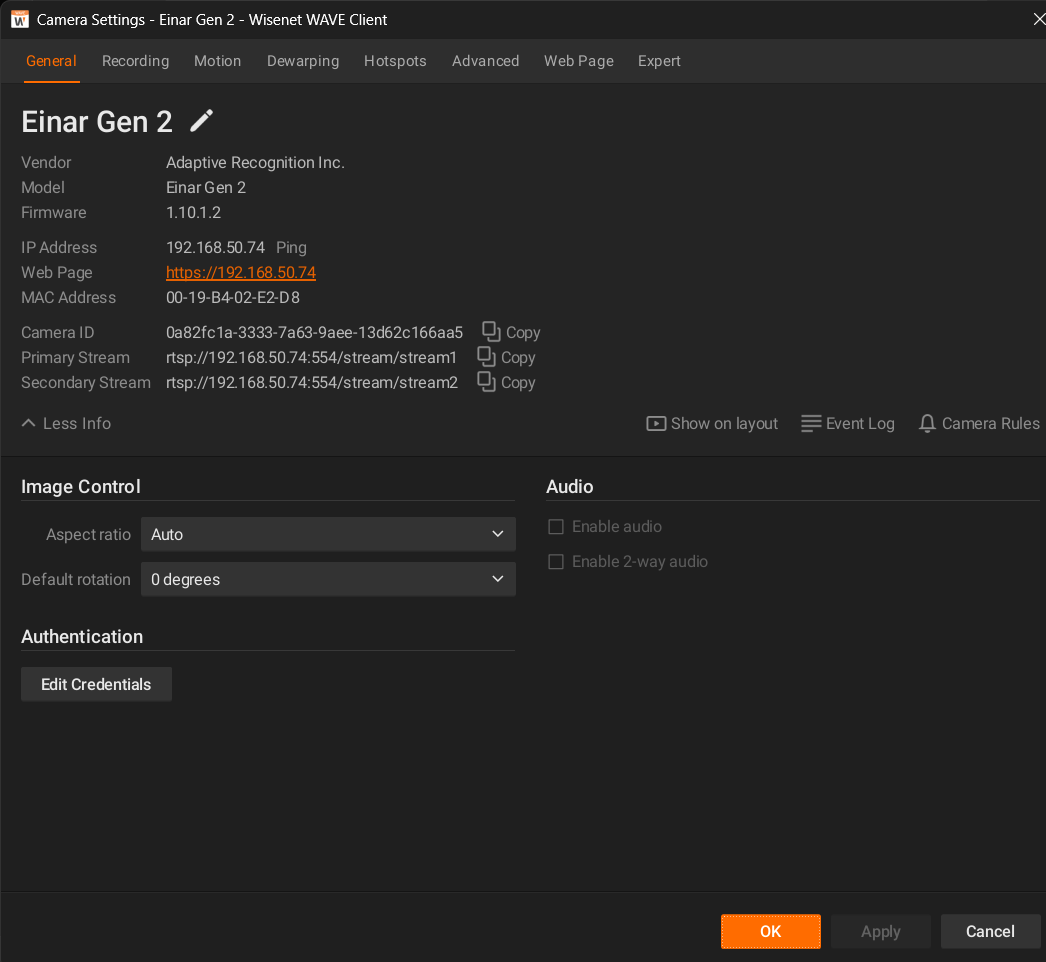
3. I added camera 2 (192.168.50.74) with identical firmware and settings, and it connected fine.
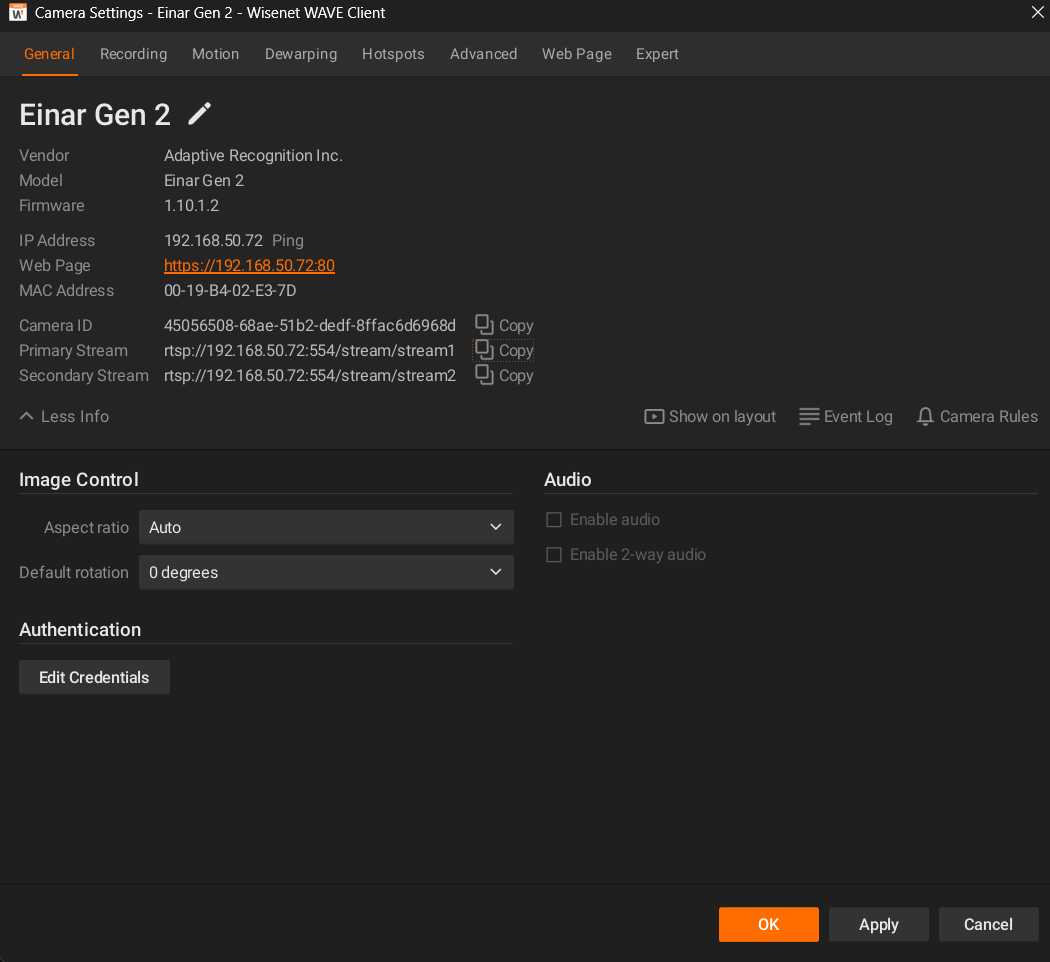
So, it seems that when “Use only HTTPS to connect to cameras" is enabled, and you add a camera, it sets the camera up somehow to work properly with it. But when changing the setting after a camera is already added, it doesn't “retrofit” the camera to make it work properly. I've also attached screenshots of the settings on the two cameras below.
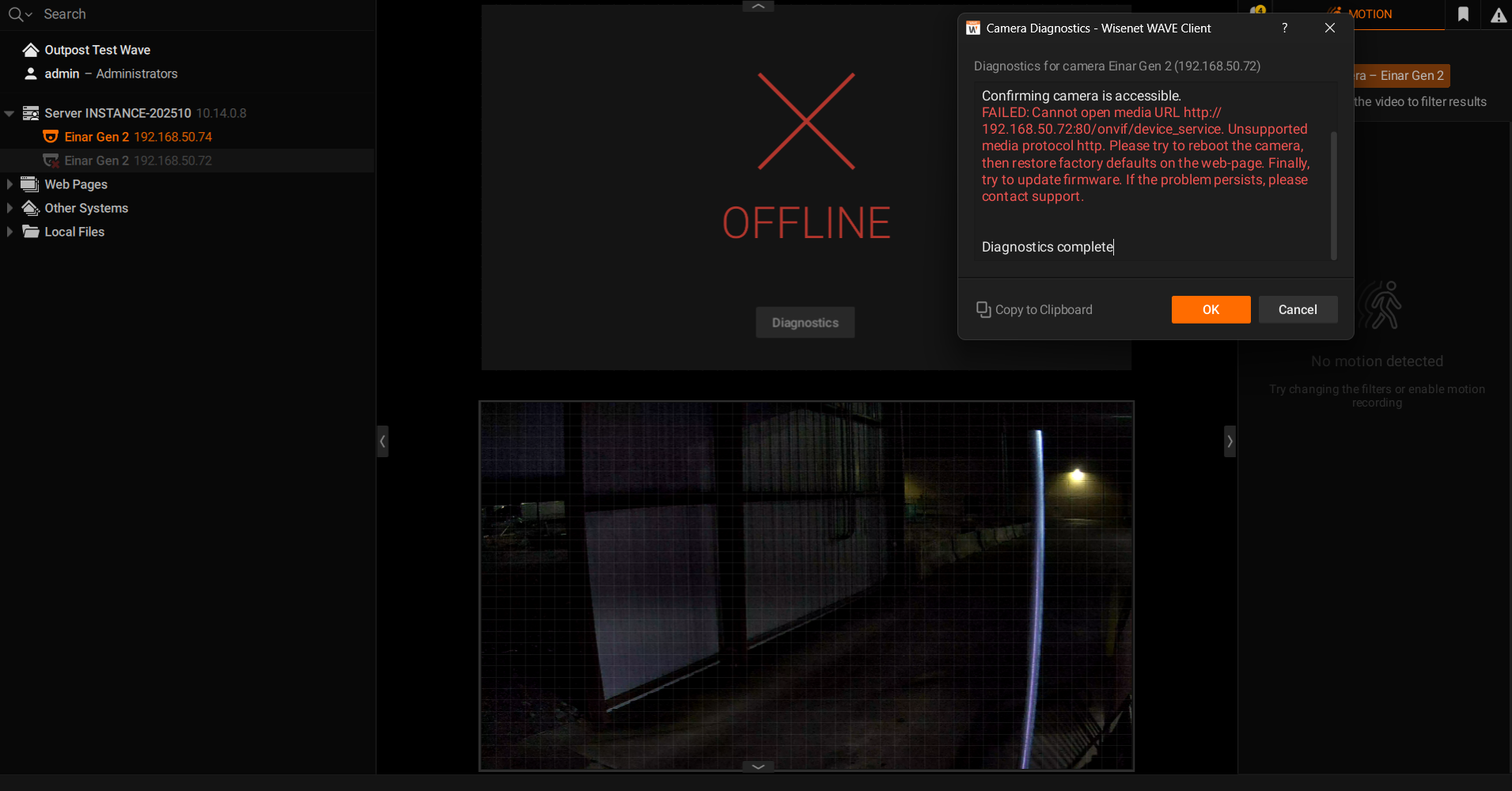
Camera 1 (added before HTTPS setting was enabled, and it went offline permanently)
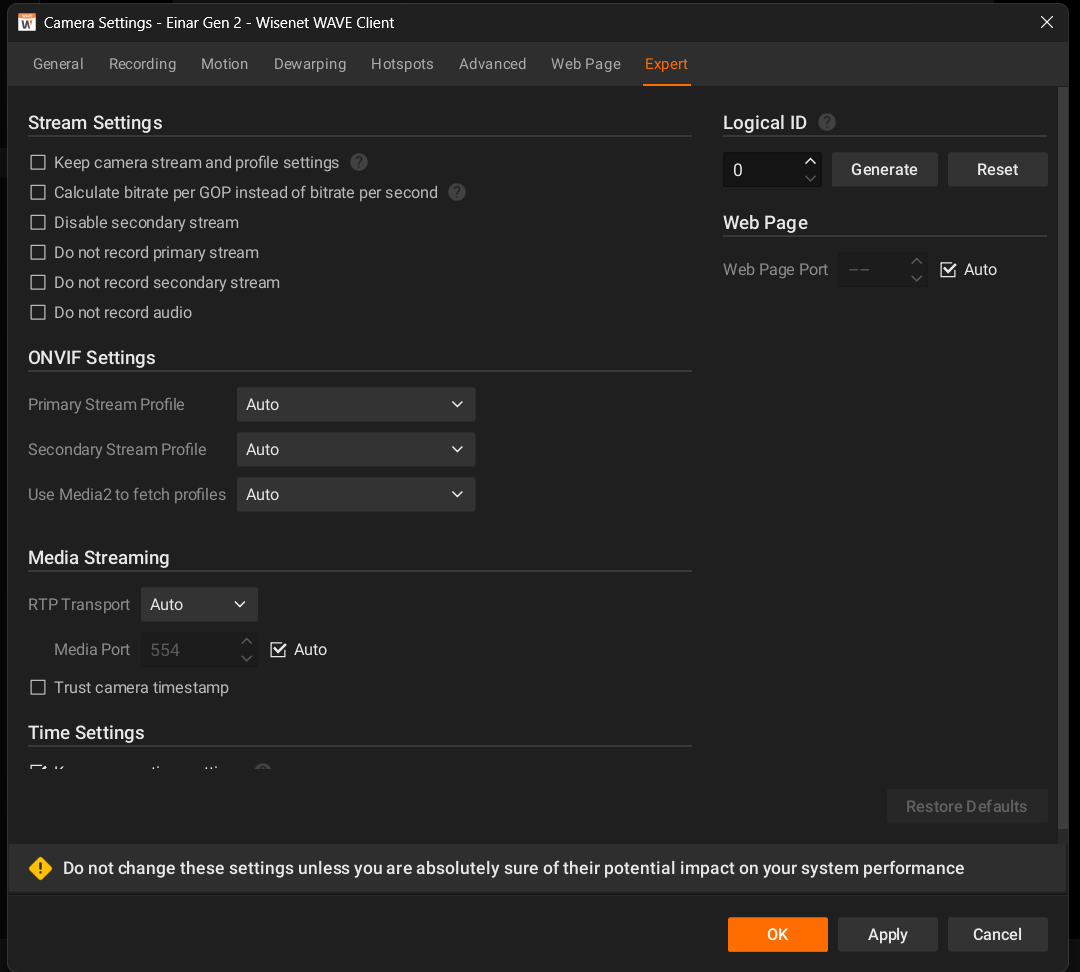
Camera 2 (added after HTTPS setting was enabled)
 0
0 -
I figured out how to update the device's parameters.deviceUrl and url to https and that fixed it for the cameras above, but I have some Zenitel intercoms that don't seem to support ONVIF over HTTPS, so I can't force https across all devices. I only need these RTCP reports for those Hanwha devices though, and if forcing it to HTTPS will fix the RTCP reports, can I force HTTPS on just those devices?
0
Please sign in to leave a comment.
Comments
9 comments