Vivotek ONFIV
Answered
I'm having the issue mentioned in this post:
The camera has been down for 2 months, trying to get support from Hanwha with no luck. I've tried the solutions listed. The server version is 4.2.0.32841.
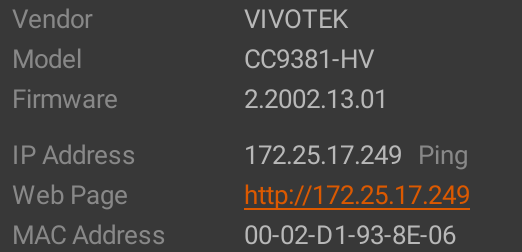
Any help in getting these cameras back online would be appreciated.
Thanks,
Mike
0
-

Hi @...,
Please follow these steps:
- Update Nx Witness to the latest patch (4.2.0 patch):
- Visit the Nx customer portal.
- Switch to the Monthly Patch tab.
- Download and install the package for the corresponding Operating System or perform an in-client upgrade.
- Right-click on the camera then select Camera Settings
- Switch to Expert tab.
- Navigate to the option - Use Media2 to fetch profiles.
- Change the option to Never or Use if supported.
- Restore the camera to its default settings (i.e. Hard Reset).
- Complete the initialization of the camera(Username and password)
0 -
Hello @...,
The Hanwha team informed me you resolved the issue by changing the Use Media2 to Use if supported and that this resolved the issue.
0
Please sign in to leave a comment.
Comments
2 comments