Delay on Objects display
Answered
Hi,
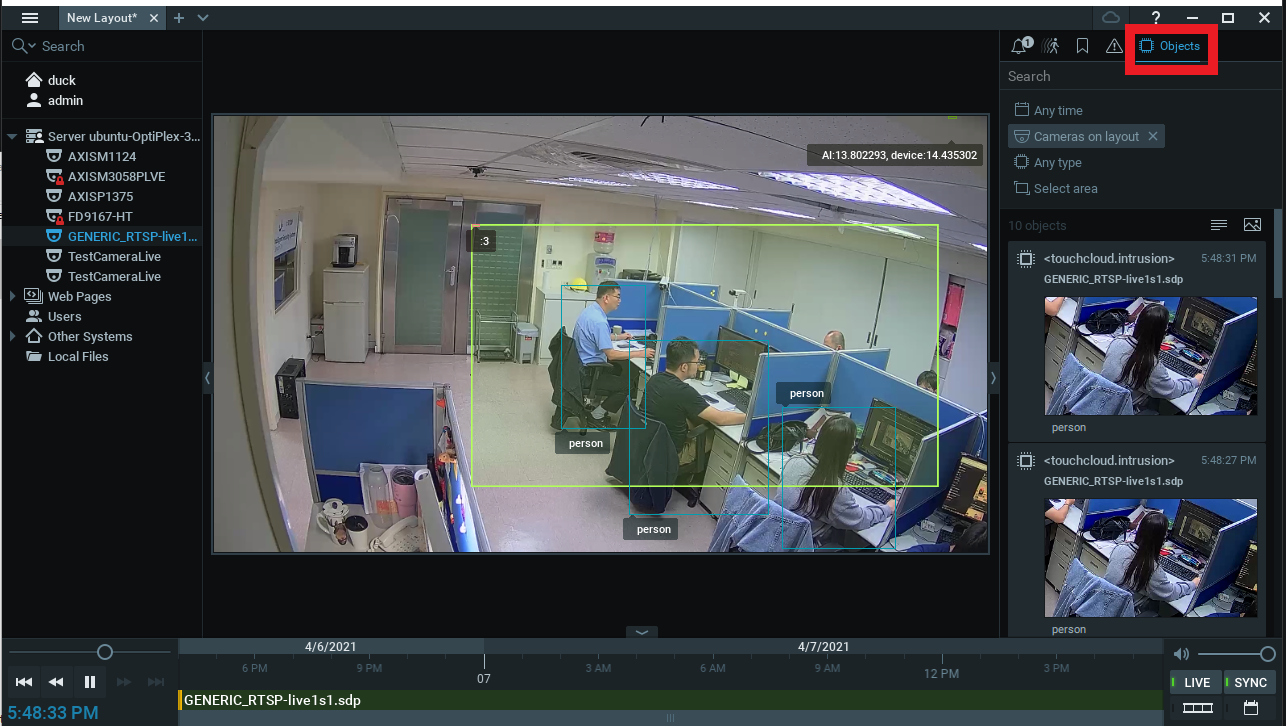
I found that streaming video will delay about 3 seconds with Objects display, but analytics event is real-time, AI server processing is real-time too. Video delay situation only happens when I open the objects mode. Perhaps Nx Client will buffer 3 seconds for displaying objects, or something that I need to adjust?
-

Hello Aqua,
Is the issue reproducible with the strub_analytics_plugin?
0 -
Hi,
Yes, it is reproduible with the stub_analytics_plugin.
0 -
Hi,
Great! Could please create a screencast demonstrating the issue with stub_analytics_plugin?
0 -
Hi,
I upload screencast demonstrating video to youtube, https://youtu.be/WVRDZfiTIdA
You can find a obvious pause point about 11~13 seconds in the video. Streaming video will start to delay after going through that point.
0 -

Hi Aqua,
Sorry for the late reply. Thank you for providing video example. It looks that when opening object tab, video playback is stopped until GUI client starts receiving objects from mediaserver. I’ll investigate it further to see if we’ll be able to improve this.
0 -
Hi Aqua,
thanks for pointing out the issue. I've been able to confirm it. While some minor delay is expected when viewing live stream with objects tab open, I observe 2-3 seconds delay in some cases when testing with stub analytic plugin. On the other hand, sample analytic plugin doesn't show any delay.
Client will buffer 3 seconds for displaying objects, or something that I need to adjust?
When viewing live stream in GUI client we have have stream delivered like this:
camera->rtsp to VMS -> rtsp from VMS to GUI
When opening objects tab, GUI needs to wait for the object data to be available and it might take longer:
camera->rtsp to VMS ->VMS decodes frame -> VMS sends frames to plugin-> plugin detects objects -> object metadata is sent to VMS server -> GUI client pulls metadata from VMS.
From GUI client perspective, this is two different streams which needs to be synced. The freeze that we see in your video is the way for GUI client to sync video track with metadata track.
I'll investigate issue deeper to see if there is a room for optimization to reduce the delay.
JIRA-VMS-23426
0 -
Hi Aqua,
in the upcoming version 5.0 we've implemented some fixed, so enabling object tab doesn't cause a delay. Fix is included in our latest 5.0 beta:
In-Client Upgrade:
Build Number: 34745 Password: tkj5u3 0
Please sign in to leave a comment.
Comments
7 comments