VMS multi-server bandwidth control and storage handling
Answered
I'm looking for a better understanding of how NX with multiple servers works together, particularly:
1. Is it possible to control bandwidth between servers?
2. If the servers have unequal amounts of storage, does the larger server retain the video archive for longer?
We have a client who we are looking to implement NX to as per the diagram below. The connection between the site with cameras on is tenuous, and may be limited/patchy at times. The ideal thing would be if the server PC kept the full video archive for the total storage time.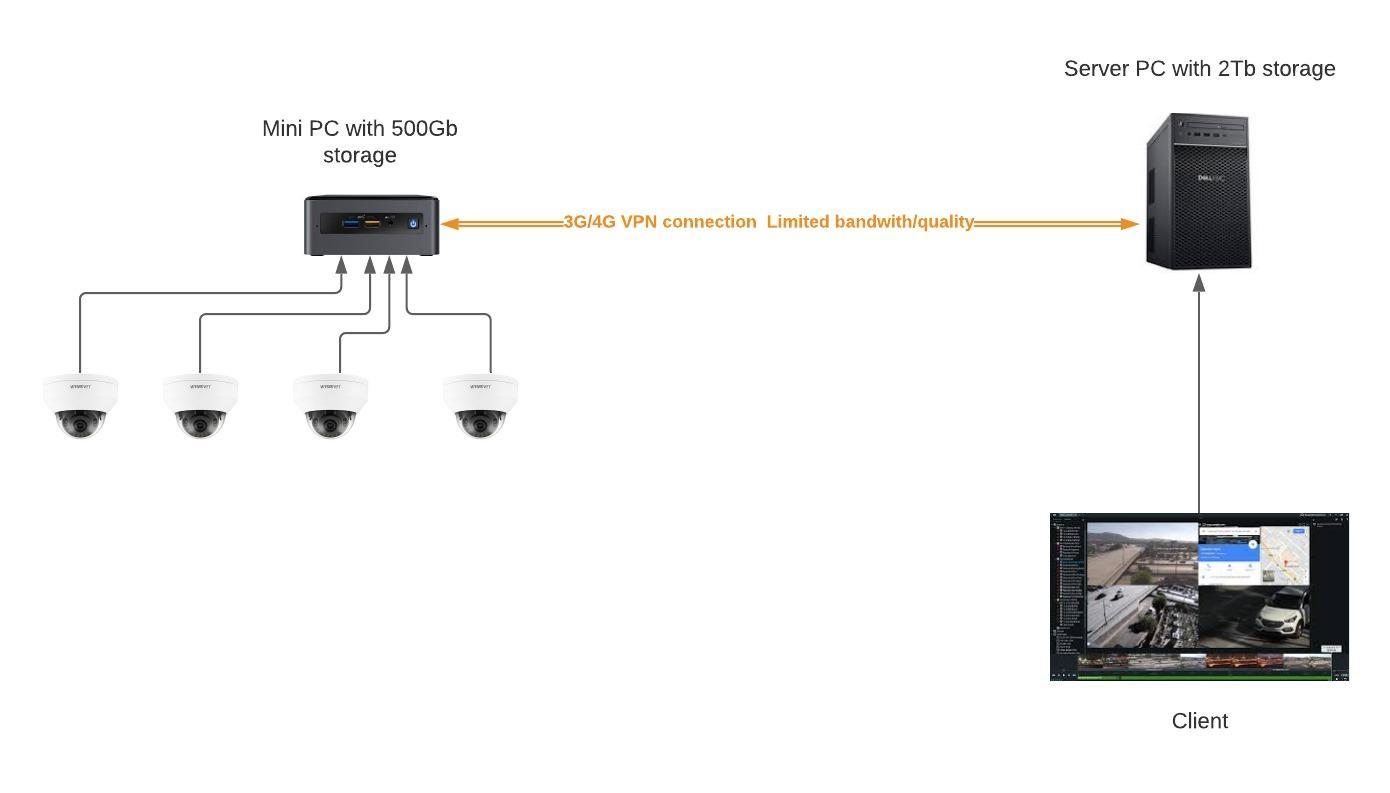
-

Regarding the first question:
1. Is it possible to control bandwidth between servers?
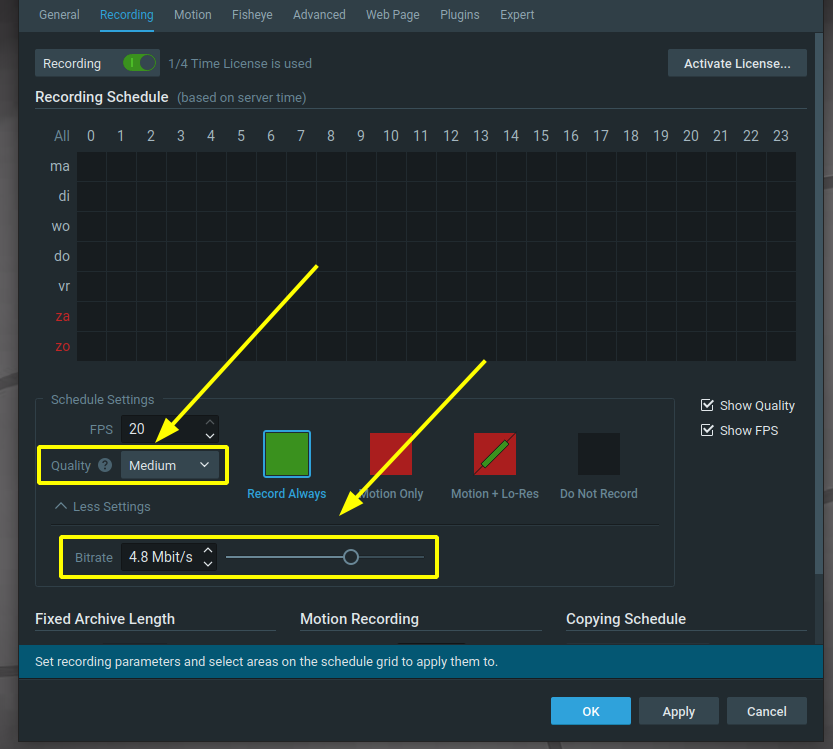
In the camera settings you can change the bandwidth consumption with the recording quality, either by selecting the Quality or moving the Bitrate slider.
In this way you configure the avg. bandwidth for the recording or the cameras to the Server PC.
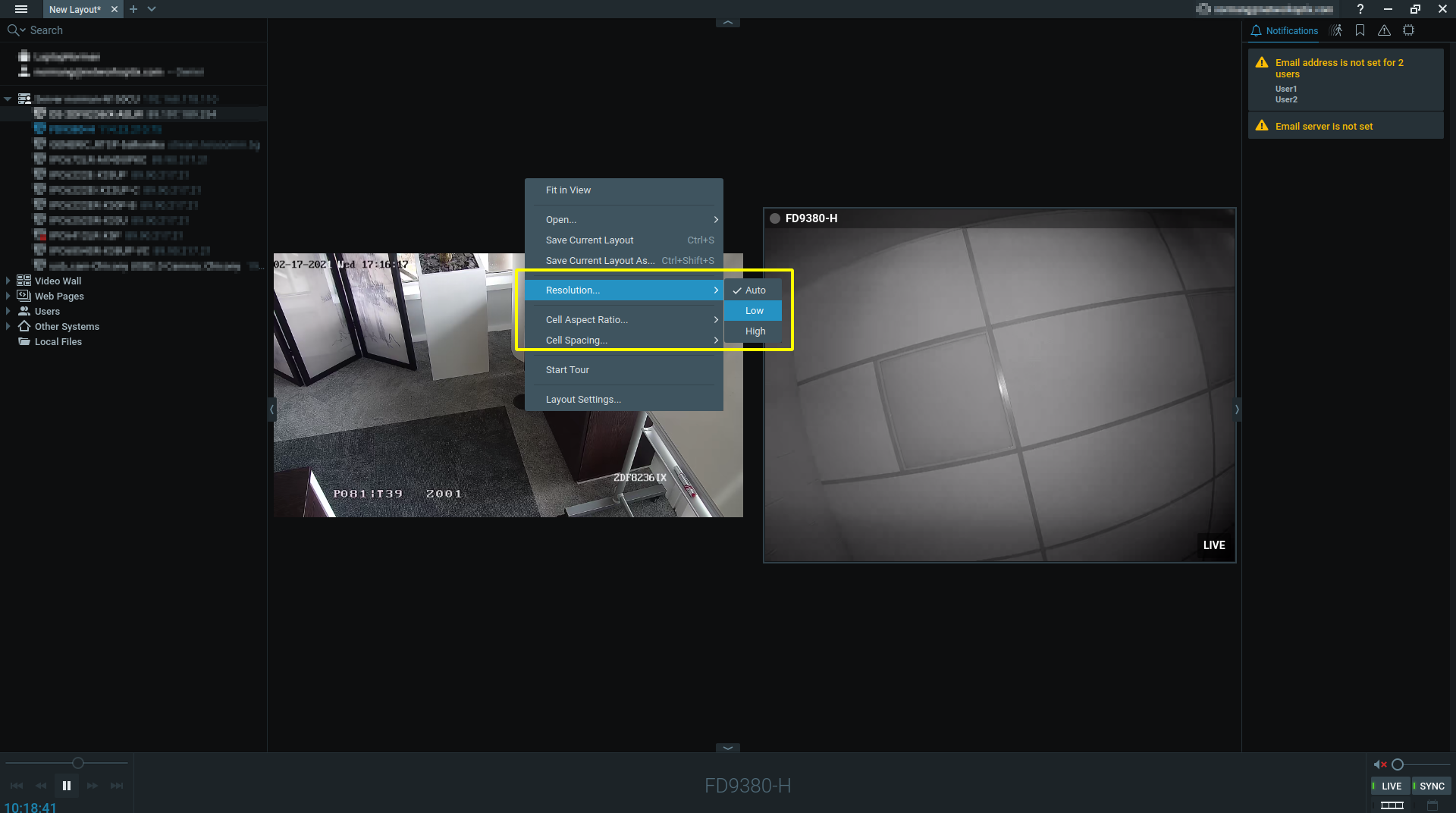
If you want to limit the bandwidth on the client, you can create a layout, set the resolution to Low and save it in this state. Next time you open the layout, it will display it at the Low resolution.
Regarding the second question:
2. If the servers have unequal amounts of storage, does the larger server retain the video archive for longer?
In this configuration and explanation we see it as two different systems, both with the own licenses.
But if I understand it correctly, you want to use the capacity of the 2 TB drive.What I would do is set up the miniserver with the Nx Witness server application and add the second server as remote storage with SAMBA and add it to the mini server as a network storage.
Then you can select, in the server settings, the 500 GB disk for the main storage and the 2 TB disk as backup storage and set the recording schedule to the max. required days as described in THIS topic.
For such a small system you could, instead of a server, also use a NAS device, which is for most people easier to set up then a SAMBA server.
One thing to keep in mind as well is that streaming such amounts of data, often isn't allowed by the 4g providers, since it exceeds their fair use policies. It's good to check this prior to deployment.
0 -
Thanks Norman
That's helpful, and thanks for the comments on the 4G usage as well.
0
Please sign in to leave a comment.
Comments
2 comments