Bounding boxes are instable
Completed
Hello,
I noticed that bounding boxes are not shown at all for objects that quickly disappear.
Sometimes they are not shown for all objects in the first frame but they are shown in the following frames. Here is an example: I cliked on the first vehicle in the right panel and there were no objects displayed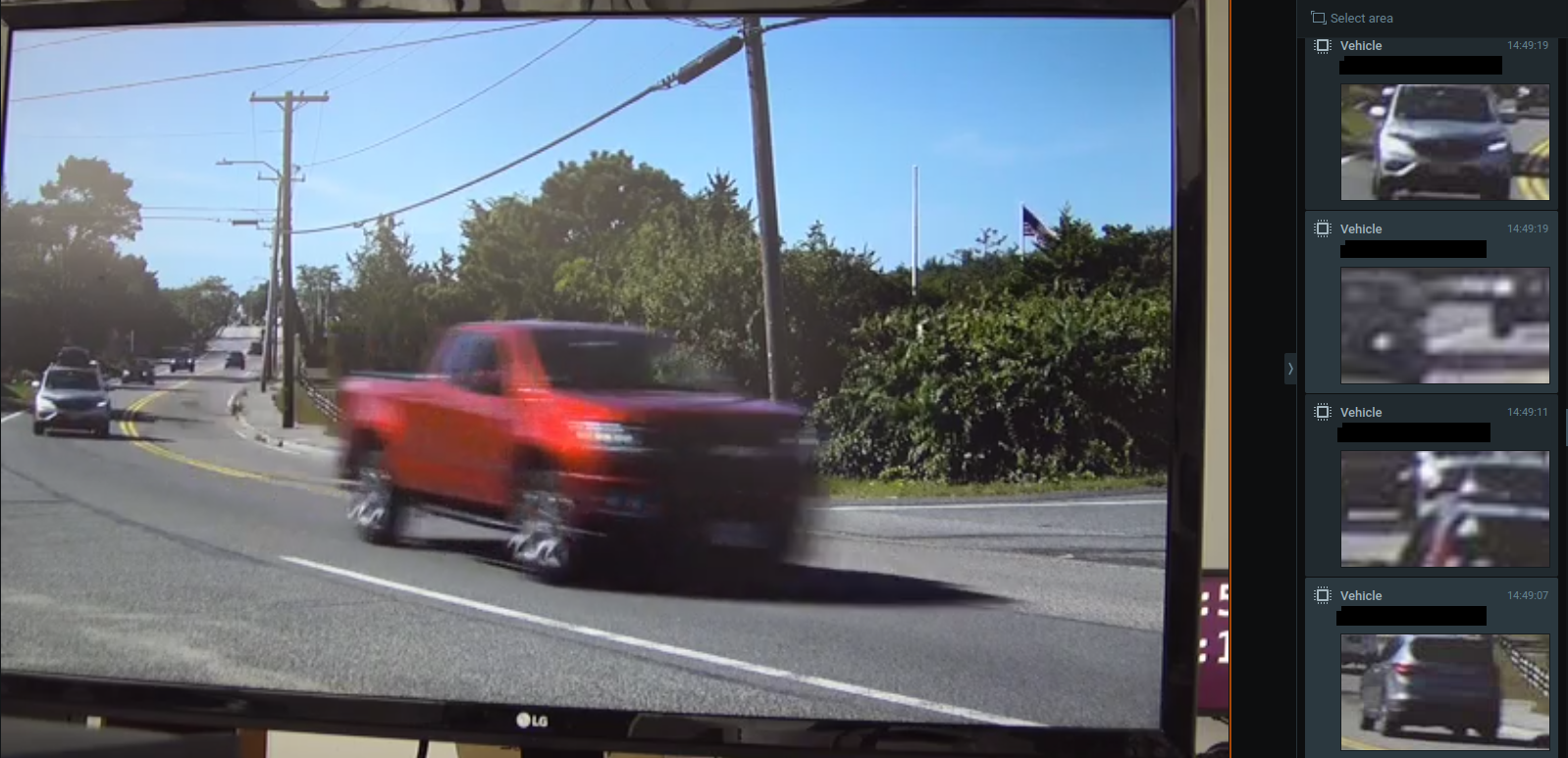
Then I clicked 'space' and started the video and Nx showed bounding boxes. Then I clicked on another vehicle in the right panel and then I clicked on the first vehicle again. Nx showed me exactly the same frame but in this time Nx displayed bounding boxes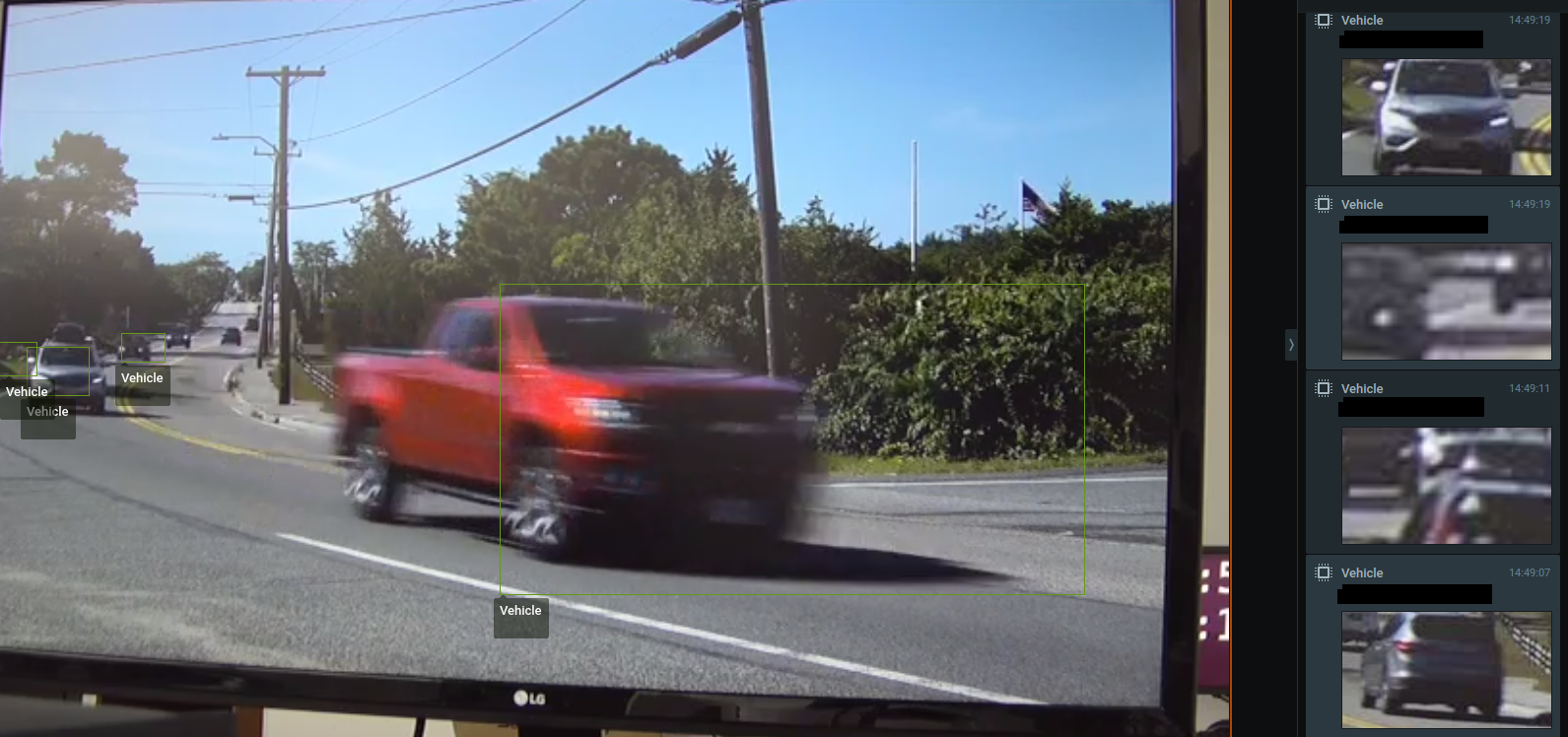
Maybe I do something wrong? Or it's a known behaviour, or it's a bug?
-

Hi Hendrik Baekeland - What camera / analytic are you using?
0 -

Hi Hendrik,
It looks that I've managed to reproduce a similar issue with these steps:
1. Pause video.
2. Press on any object from the object tab.
3. Video jumps to the frame with an object, but the bounding box isn't displayed.
4. Unpause video and bounding box appears as it should.
5. Pause video - bounding box is present.
6. Press on the same object from step #2 again - bounding box is present.
Does it look similar to your case? It looks that the GUI client doesn't have info about the bounding box while video is paused. It could be a bug or some implementation limitation in the GUI client. I'll investigate this further.0 -
>What camera / analytic are you using?
I see it on cameras from different manufacturers and with different resolution. That particular camera was DWC-MB45WiAT but I encounter this issue with other cameras too.
>It looks that I've managed to reproduce a similar issue with these steps:
Thanks Anton. Yes, it is the issue I described.0 -
Hi Hendrik,
at the moment, there is no workaround to solve the issue. I've escalated it to our dev team and they will check if it will be possible to fix this behavior.JIRA-VMS-21863
0
Please sign in to leave a comment.
Comments
4 comments