Engine::IsCompatible() timeout
Completed
Hello.
I've got following message at the VMS.
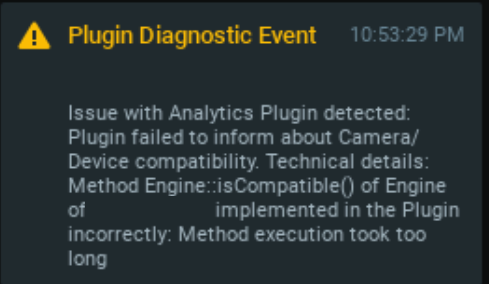
Can you tell me the largest timeout value not to get the message?
0
-

Hello Jason,
the default timeout is set to 3 seconds. However, it can be adjusted in vms_server_plugins.ini file. You need to create an empty vms_server_plugins.ini file in the nx_ini dir and restart mediaserver process. After the first restart server will fill vms_server_plugins.ini file with default values.- Typically, such a directory is located as follows:
- On Windows, when started as a service:
C:\Windows\System32\config\systemprofile\AppData\Local\nx_ini\ - On Windows, when started manually under a user:
C:\Users\<user>\AppData\Local\nx_ini\ - On Linux, when started manually under a non-root user:
$HOME/.config/nx_ini/ - On Linux, when started under root (e.g. as a service):
/etc/nx_ini/
- On Windows, when started as a service:
0 - Typically, such a directory is located as follows:
Please sign in to leave a comment.
Comments
1 comment