How to select default Nx Plugins in the server
Answered
Hi Everybody,
I want to ask a question about the Nx Server Plugins.
There are different plugins in the server path, (C:\Program Files\Network Optix\Nx Meta\MediaServer\plugins)
It is possible to stop the server and erase any plugin. However
when you restart the server, the system loads the plugins automatically.
My Question is; Is there a way to eliminate some of the plugins to reload when
the server restarts. I don't want several plugins to run in the server.
Thanks,
-

Hello Ali Ergin Hacimahmutoglu ,
It is possible to stop the server and erase any plugin. However
when you restart the server, the system loads the plugins automatically.Erasing/moving the plugin binary file prevents the Server from loading it. However, information about the plugins remains in the system, and is visible in the "System Administration" -> "Plugins".
My Question is; Is there a way to eliminate some of the plugins to reload when
the server restarts. I don't want several plugins to run in the server.Remove\move the plugin binary you don't want to be loaded from the "plugins" directory.
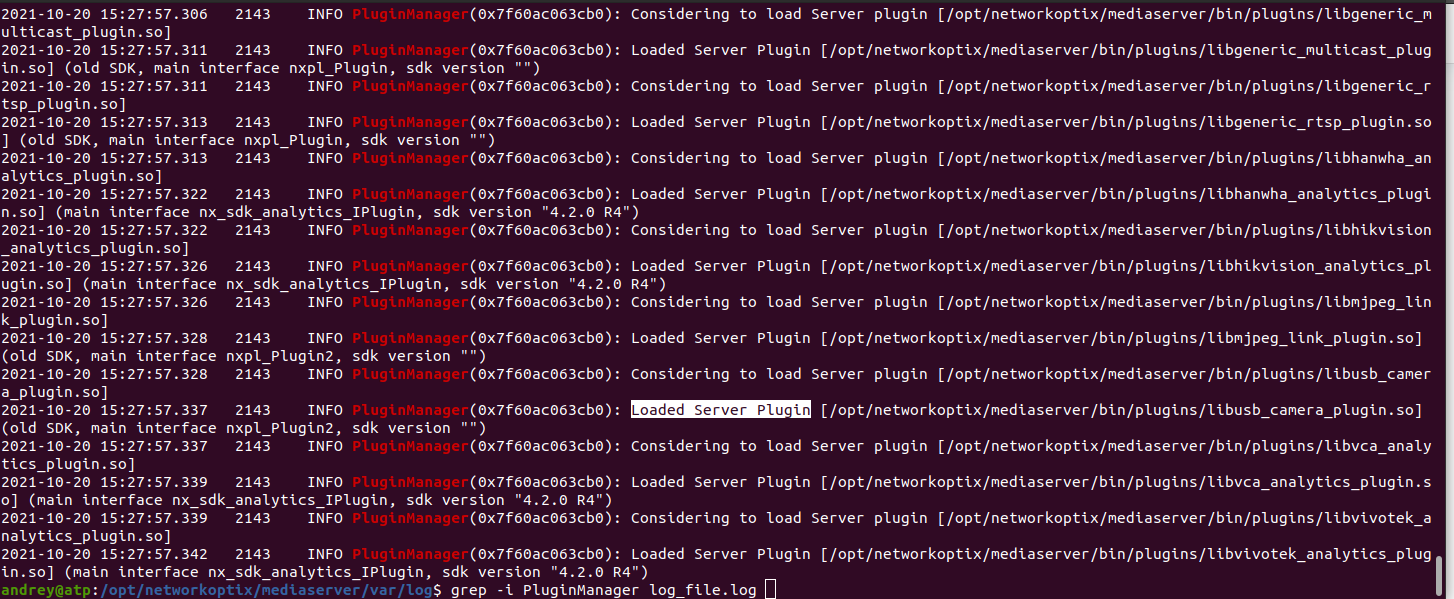
You can monitor plugins loaded in the Server log file by filtering messages with patterns: "PuginManager" or "Considering to load Server plugin" or "Loaded Server Plugin".
 0
0 -
Hi Andrey,
I just want to ask my question again. When you stop the server nx server, and erase a plugin in the path C:\Program Files\Network Optix\Nx Meta\MediaServer\plugins , then restart the server. The system loads the plugin again. I want to share few pictures with you;
As a sample I erase the Bosch_analytics.dll plugin file below
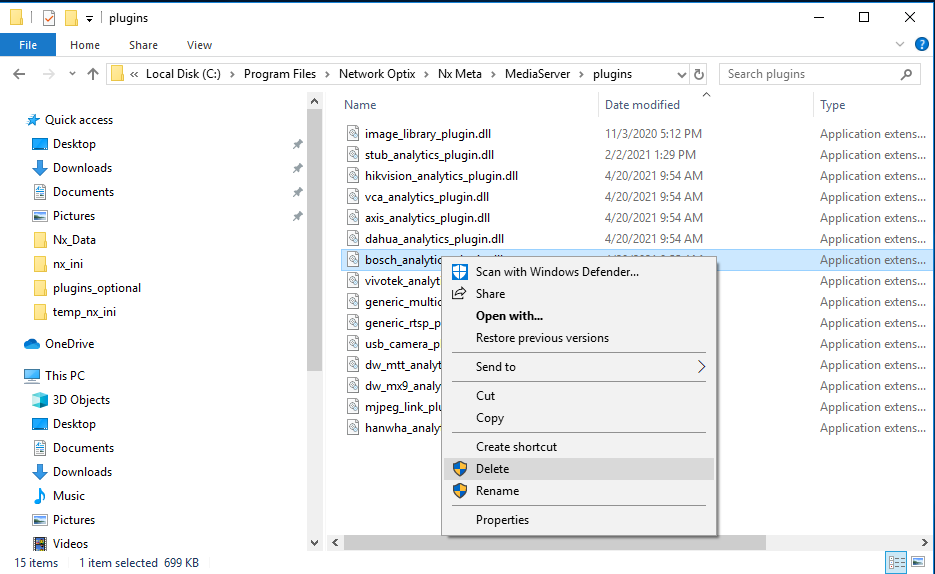
The system restores the erased plugin to the server below picture
As you see the second picture; while the system loads the plugin, there is a message 'Please wait while windows configures NX Meta'.
I think there might be a copy of plugin .dll binary file and might be .ini file that has the list of the plugins has to be restored, if one file is deleted. So the system restores the deleted files form these resources. Could you help me about it. I don't want some of the plugins in the C:\Program Files\Network Optix\Nx Meta\MediaServer\plugins directory.
Thanks,
0 -
Hello Ali Ergin Hacimahmutoglu ,
I need to have a look at your system. Created a ticket. Please, check your inbox.
0 -
Hello,
Here is the solution.
To prevent restoration of deleted plugin binary files, do the following
1. Exit Nx tray application in the right down corner.
2. Start the "Task Manager"
3. Go to the "Startup" tab and Disable Nx tray application.

4. Log off and log on.
5. Try to remove files as you did previously.0
Please sign in to leave a comment.
Comments
4 comments