How can I display environmental temperature metadata on a live camera or during recorded playback?
Answered
I don't know if this should be a feature request of if there is something I don't know about yet.
I attempted to setup a HomeAssistant server with various temperature / humidity sensors and then using Node-RED to post the temperature data with an http request to NxWitness whenever there is a state change.
In the Nx client I see the info box pop up for a few seconds with the temperature data (also triggering a recording) and then it goes away. I'm not seeing a good way to display the most recent temperature reading constantly on a live camera, without also causing a recording.
What I would like is some kind of persistent metadata display so the latest reading is stored and available for display at all times, but only get recorded when motion or whatever triggers a normal recording.
So I'm needing three basic requirements:
- Ability to turn visibility on/off by the user. So recorded or handled like metadata and not burned into the video image.
- Current temperature should be available on live view 24/7.
- When a recording is triggered it should record the current state into the footage metadata for historical viewing during playback.
-

if there is an API for the camera title, how about displaying the temparature value in the title field….
0 -
Hiroshi Takasaki - Interesting idea, but I don't think the camera name is recorded alongside the video, so playback of past recordings would give the wrong temperature reading.
0 -
Since it uses the camera OSD title function instead of the NxW camera title, the temperature display is recorded along with the stream, so the temperature at that time will be displayed when played back.
0 -

Hello Jeff,
Regarding your requirements:
- Ability to turn visibility on/off by the user. So recorded or handled like metadata and not burned into the video image.
- Current temperature should be available on live view 24/7.
- When a recording is triggered it should record the current state into the footage metadata for historical viewing during playback.
We have Server Plugin SDK for developing extensions and integrations.
For your task can be resolved with developing an Analytics plugin. The plugin can be enabled on a camera and could communicate with the camera via its API and pull or listen to the events from the camera (temperature, CPU load etc.) and generate analytics events. These events processing can be configured in the Camera Rules… to trigger recording on the camera and make a bookmark for that recording in order to find it later.Here is a good starting point to get yourself familiar with the integrations
https://meta.nxvms.com/docs/developers/knowledgebase/195-1-integration-capabilities--what-to-expect
Here is a step-by-step guide to developing a plugin.https://meta.nxvms.com/docs/developers/knowledgebase/200-introduction-to-creating-a-video-analytics-plugin
Going into technical details, this
> Current temperature should be available on live view 24/7.
can be implemented as a Fixed object with zero-size bouding box and several parameters you need: temperature, CPU load etc.
We have Stub analytics plugin provided with the Server out of the box. You could enable it and study available features in the Stub, Special Objects. Alternatively, you can build the plugin in Server Plugin SDK.1 -

My personal recommendation would be referring to the Analytics API which is a http/websocket-wrapper over the above SDK internal methods.
That leaves anyone without a need to learn C++ to implement the plugin library for this low-requirements type of task and use other means of automation of choice(Python, javascript, whatever capable of operating over the application-layer protocols).
But overall I agree with Andrei, if the visualization is what you need, the “Integration” is what you should look into.
More details are in the corresponding documentation sections:
https://meta.nxvms.com/doc/developers/api-tool/analyticsapi
https://meta.nxvms.com/doc/developers/api-tool/analytics-1Simple “Hello World” js-based page example that emulates the integration is available at our github:
https://github.com/networkoptix/nx_open/tree/master/vms/server/stub_analytics_api_integrationIf done properly, you would be able to visualize all of the required as in the screenshot. But with your custom text and values instead of “person”/"truck" labels.
Metadata will also be baked into the video stream so will be available for value search as well as will be played back while watching the archived footage.
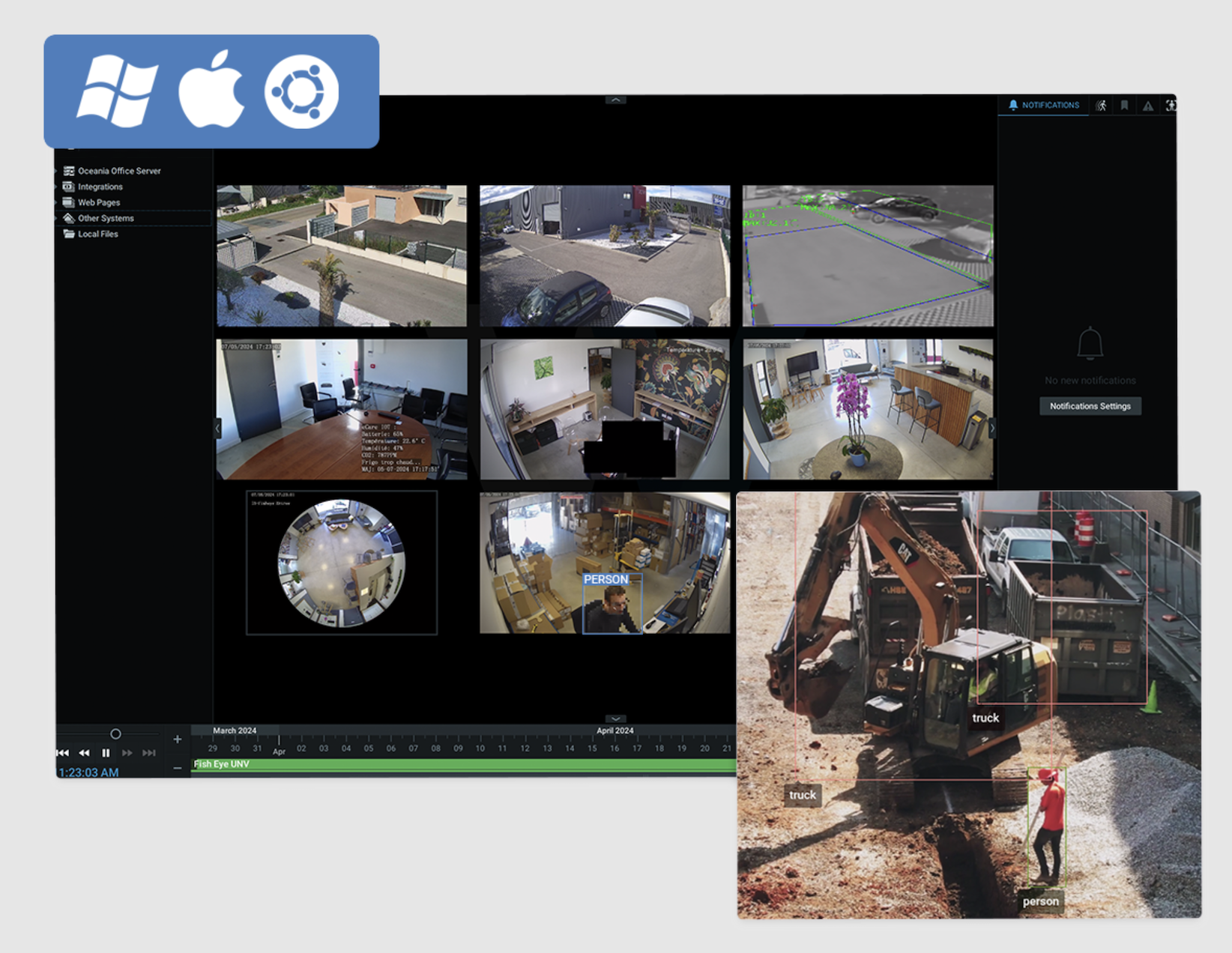
1
Please sign in to leave a comment.
Comments
5 comments