NX Witness with Bosch IPC Analytics Plugin won't recognise object titles from camera
Answered
Hi NX Team,
After long Email conversation with your colleges,
I am posting this issue here as your college suggest that.
So i'm an integrator of your system and i'm trying to make this issue work for a new proejct
The client have about 20 Bosch Cameras all of them Support analytics with newest version (include object recognition such as: Human\Vehicle\Motorcycle ETC)
Now i have the bosch plugin running and working for analytics rules and it's also transfering camera's analytics frame boxes.
what i need is that nx will recognize the object type from the camera so i can use it later on for advances search.
for example: searching every Human events.
Thanks so much for your help
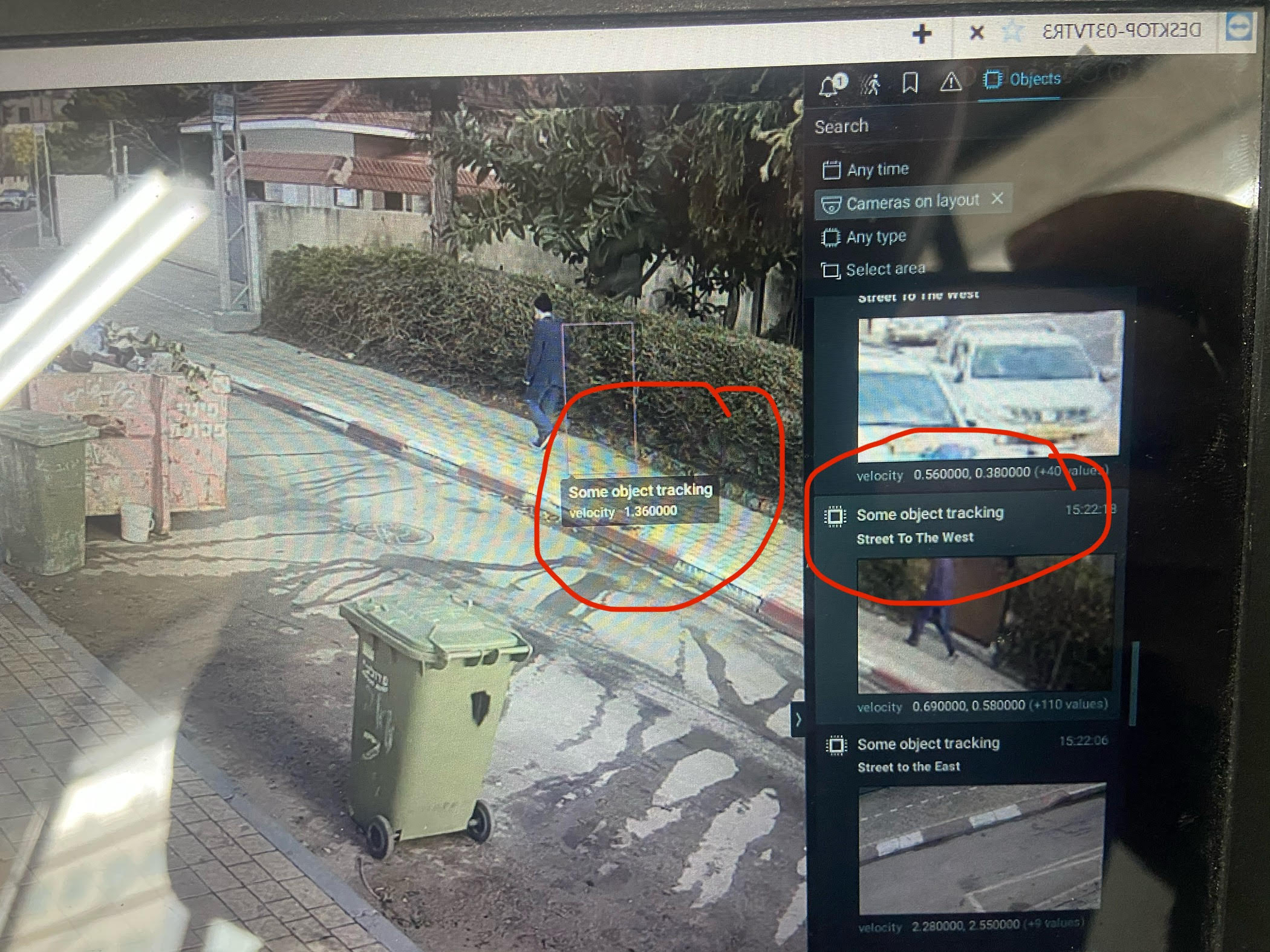
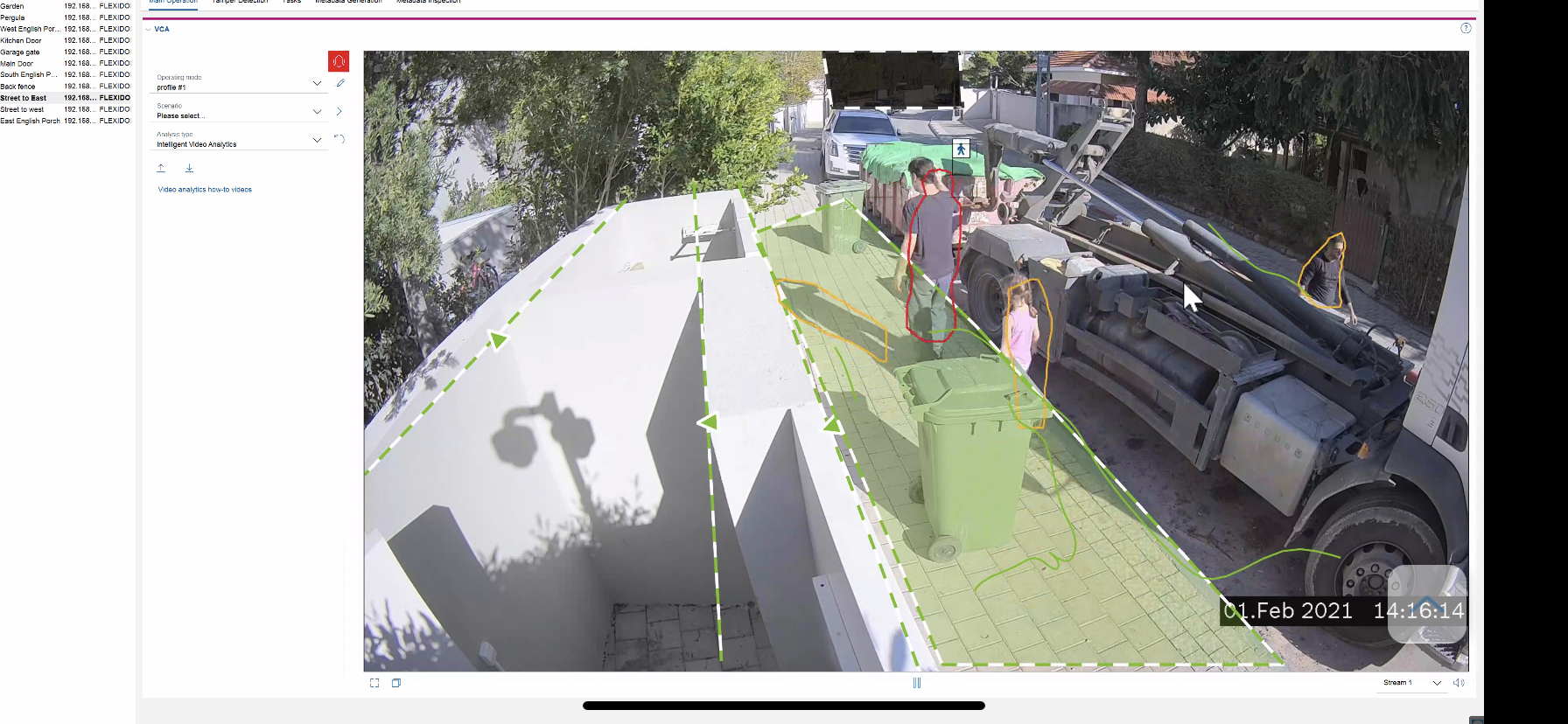
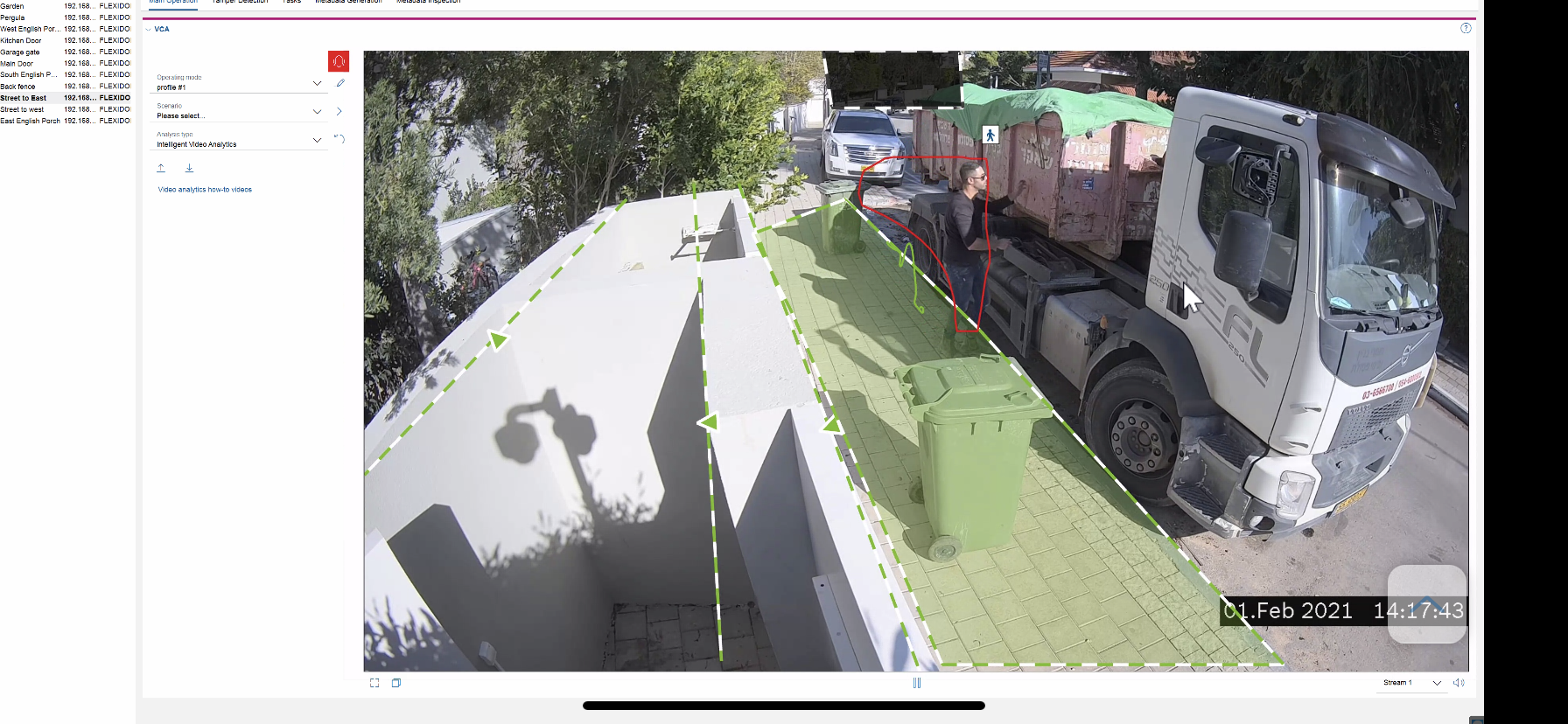
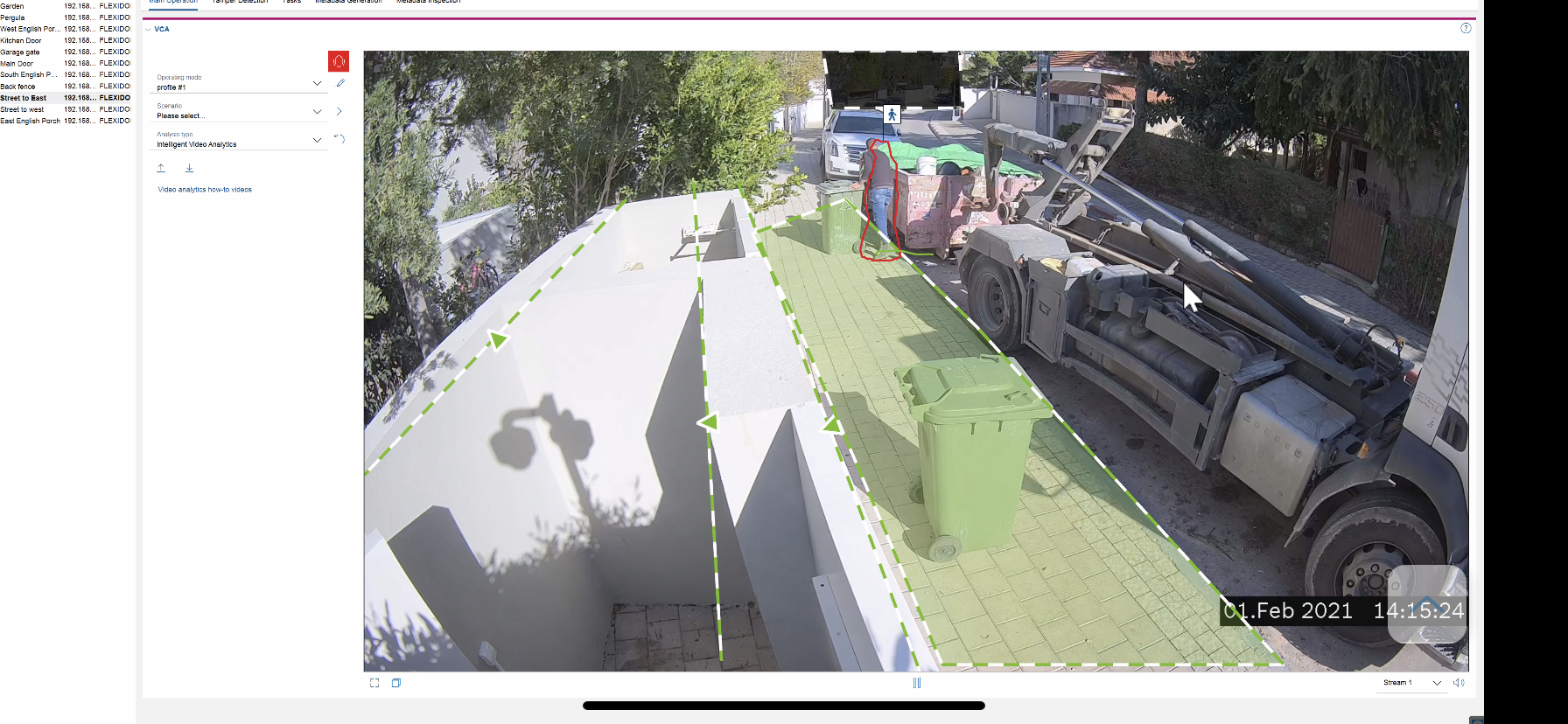
and i'm attaching this screenshots of NX client and Bosch configuration manager so you can see the Human tag next to the recognized "object"
-

Hello Maor,
what i need is that nx will recognize the object type from the camera so i can use it later on for advances search.
The Bosch plugin is capable of everything a camera reports him.
That means the plugin will generate objects of the type a camera presents with the object attribute names and values a camera presents.
The objects can be searched in the right panel by their names and attribute names and values.
In your example, there are "Some object tracking" objects with an attribute "velocity".So, it seems object and attributes names depend on the camera configuration. If the camera permits try to give meaningful string identifiers to the detectable object types.
I don't have a Bosch camera and configuration manager on hand yet. When I have, hopefully I'll be able to give you more details.
JIRA-VMS-21825
0 -
Hey Andrey,
Thanks for replying..
I get what you say what i’m trying to understand is if there is any possibility that plugin is not configured right meaning not pull the object type from the right string
Cause on camera side everything configured and the camera interface shows the siffrent between objects with a small icon next to object and not by text0 -
Any way to review the plugin’s configuration?
1 -
Hello Maor,
The Bosch analytics plugin has no ability to be configured.
It just reads all the possibilities a camera can offer.
At the moment, Bosch cameras don't send object type information along with detected objects.
That means- it's not possible to distinguish detected objects by their type;
- all the objects detected by a camera are set by the plugin as being of the same type nx.bosch.ObjectDetection.AnyObject
- all the objects detected are sent to the Nx Deskstop as being of the same type nx.bosch.ObjectDetection.AnyObject
- thus, in the right panel, objects can't be searched by different object types.
I'll talk with our dev team if there are any changes in Bosch camera behavior in this regard.
0 -
Hey Andrey,
First of all thanks for your reply and patience.I’ve contacted with Bosch Israeli distributor tech guy
And he explained to me that camera sends all this information with onvif / rtsp
I also have a document that describes tags transferring that I’ll attach here.I don’t wan’t to give up and look for other solution because I really like the Nx solution i don’t mind even paying you guys for development and adaptations
Or if you can provide enough information so i can hire 3rd party developer to do so.I’ll wait for your reply about that
Thanks again0 -
Hello Maor,
We need more detailed information. I created a ticket. Please check you email box.
0 -
Hey Andrey,
I’ve send email please reply
Thanks :)0 -
The issue was resolved in the Build: 4.2.0.33117
0
Please sign in to leave a comment.
Comments
8 comments