Display a string in the upper left corner of the camera screen
Answered
Hello.
The goal is to "display any string in the upper left corner of the camera screen".
I downloaded nxwitness-metadata_sdk-4.1.0.31398-universal and modified the device_agent.cpp file to build it.
I was able to change "Hello World!". To any string (line: 56).
I was able to fix the bounding box to the upper left (row: 160).
I don't need "function to capture sample_analytics_plugin" or "function to gray out non-target part when cursor is placed on bounding box", so I would like to delete it.
But I don't know which .cpp file to modify to remove the above two.
How can I reach my goal?
-
Hi Kaho,
1) Can you please describe the final goal, or user stories that you are trying to solve?
2) Try sending a zero-sized metadata object, it is supposed to show a caption without a bounding box. Does it solve your problem?
0 -
Hello, Evgeny.
Thank you for answering.
・ Answer to 1)
The ultimate goal is to "display the information written in the configuration file in the upper left corner of the camera screen". (See image)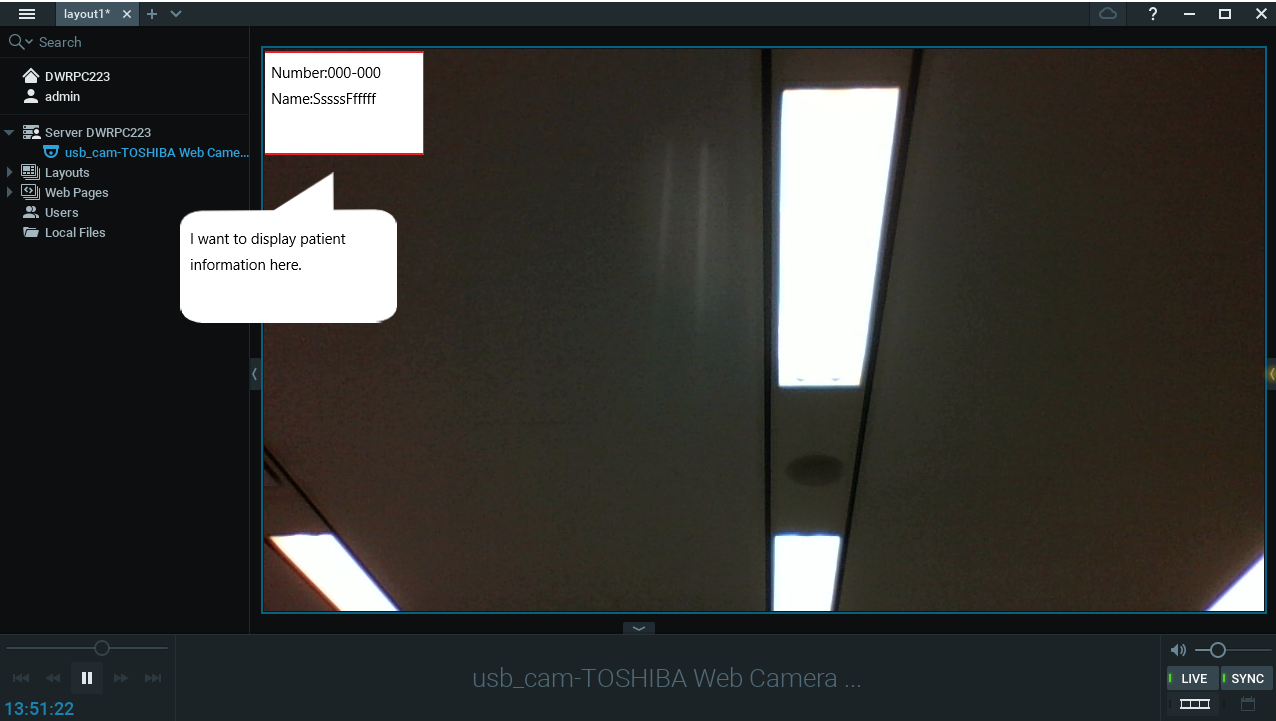
I am making a medical system. In this system, each patient is placed on a laptop, the patient is photographed with the laptop's camera, and the nurse monitors the patient from the nurse station.
At that time, there was a request from users to display patient information in the upper left.
We also considered using the NxWitness soft trigger "ShowTextOverlay" displayed on the right. (Is this correct?)There is no room to display such information on the right side of the camera screen, so I would like to display it in the upper left.
-------
・ Answer to 2)
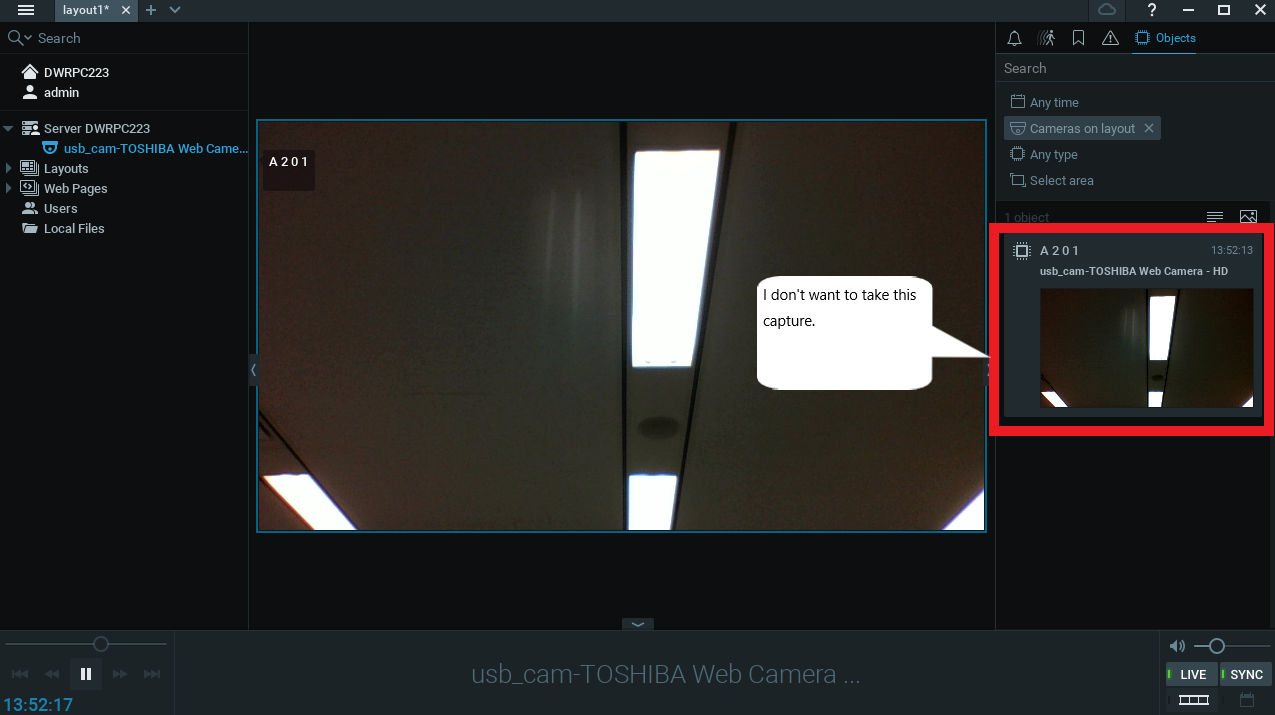
With method 2), the bounding box is not displayed. Thank you very much!In addition, I have a question. How can I avoid taking a capture? (See image)
-------
Let me ask you more questions.
1) I can't find in which class I set the position and size of the captions.
Perhaps the user wants to resize and adjust the position.
Could you tell me?2) Does the "Always show" setting of "Object frame and information" disappear when the screen is closed?
Do I need to set "Always Show" again on reboot?
If possible, I would like to have "Always show" enabled even after a reboot.0 -
1) You cannot remove the preview, but if you send the object with the same id every second, the preview will not be updating
2) There is no way to change the size of the caption, but you set the position (coordinates) when you send metadata. If you want - you can move the position to plugin settings, and user will be able to change it
3) to keep the object on the video - send metadata every second with the same object_id
0 -
By the way, this is a very interesting scenario.
You can try to explore features such as bookmarks or text overlay - they might be helpful, though they do not provide any control over the visualisation style
0 -
Thank you for your advice.
Very helpful.Will this setting disappear after a reboot? (See image)
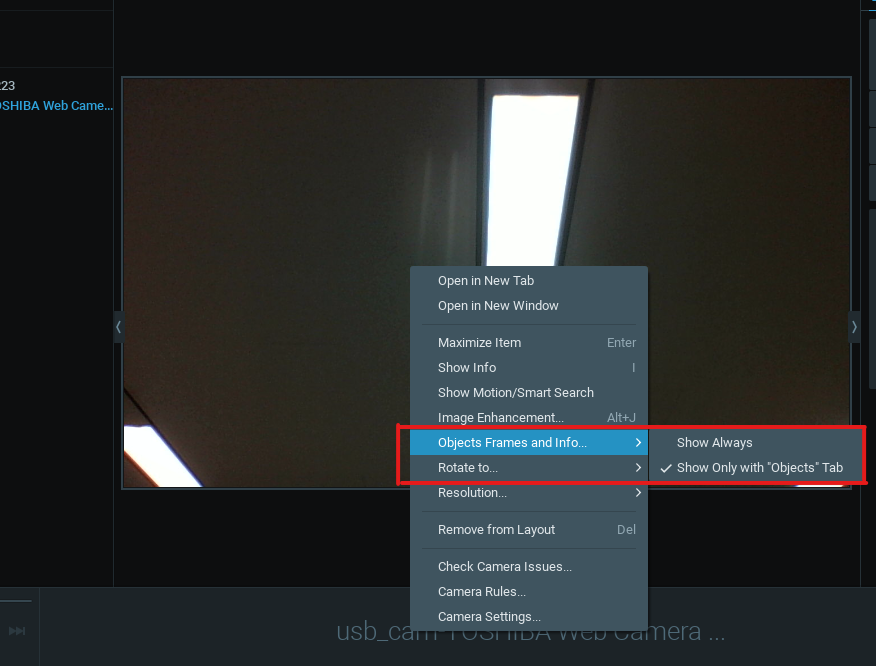
I want to keep "Show Always" enabled.
Is there a way to keep this setting?
0 -

Hi, @...
Yes, this setting should be saved with a layout. Try saving the layout (tab in the upper panel) or press ctrl+s. After that this setting will be kept during reboot, but only as a layout setting.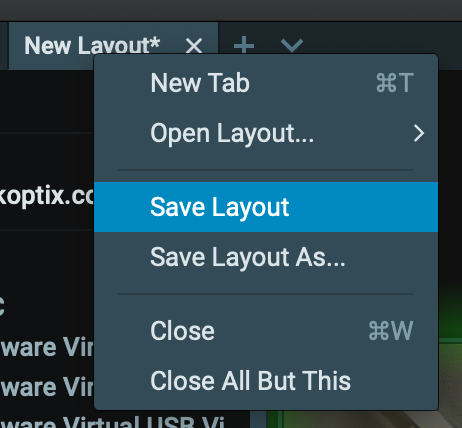
Unfortunately, when the camera is deleted from the layout and added again or the camera is added to another layout -- this setting will be back to default. Probably we will fix that, cause it seems logical to change the default camera setting when the user changes it somewhere.
I'll add it as an internal item, but I won't expect this to be implemented in the nearest future.0
Please sign in to leave a comment.
Comments
6 comments