R9 install on Win10 app shortcut does not work
Answered
I installed R9 over R8 on Win10.
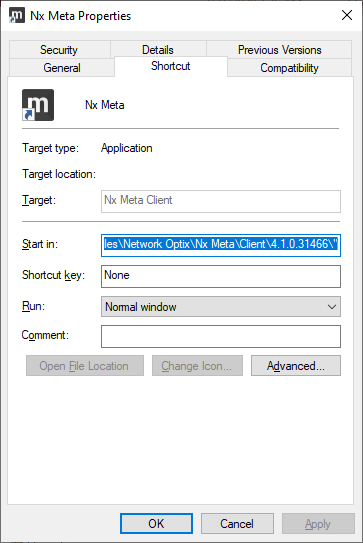
The app launcher shortcut that gets created in the start menu does not point to a valid target.
Clicking the app icon does not launch the client.
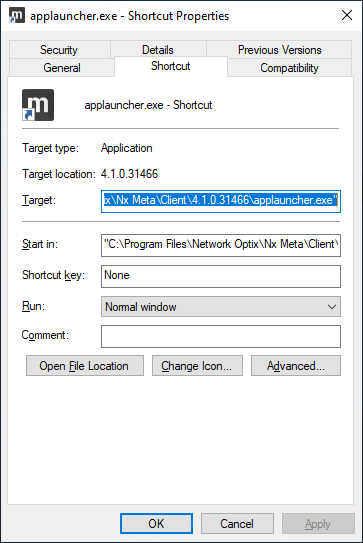
The client has to be launched by running applauncher.exe from the installed directory.
Installed shortcut does not point to a valid target:
Manually created shortcut:
-

Hello, Pieter Viljoen
We think this might be broken during rebranding (we were using some old-school Windows method called "Advertised" for the shortcut and now we moved for the common method where shortcut should point to the binary file)
The main problem in your scenario is that the shortcut didn't change during the update. I suppose this should not reproduce if you delete the old version completely before installing a newer one.
We will examine this and hopefully this will be fixed in newer versions. It can be a problem for users of our main product also (Nx Witness), thank you for pointing this out!Internal: VMS-19558
0 -
I've got some updates
After some investigation it appears that the problem was in NxMeta -> Nx Meta renaming. Applauncher could not find a proper client to launch. And unfortunately, uninstalling the old version won't help.
The problem should be resolved after opening the client (not applauncher) from Program Files (C:\Program Files\Network Optix\Nx Meta\Client\4.1.0.31466\Nx MetaVMS.exe) directly. After a new client is launched, the shortcut and applauncher should start finding the folder with the client.
I'm not sure that it will be fixed in the code, but chances are that all meta users will have to make one client launch manually (from program files) after updating to R90
Please sign in to leave a comment.
Comments
2 comments