How to decode compressed frame?
Answered
Hello.
I'm using Metadata SDK. When I set needUncompressedVideoFrames to 'rgb' or 'yuv420' CPU load is too high. I don't want to decode every single frame, I want to take 5-10 frames per second.
I want to get compressed frames and decode them. I see that I can receive compressed videoframes but there is no info about how to decode them.
So, how can I decode compressed frames?
-

Hello,
> CPU load is too high.
That's strange.
Is this because the server decodes each frame or is it because your plugin processes each frame?
Can you just return from your frame-processing function without actual processing and have a look and CPU load?> So, how can I decode compressed frames?
There is no routine in SDK for decompressing frames. I suppose, you could you third party library.0 -
Hello Andrey,
Thanks for quick reply
>Can you just return from your frame-processing function without actual processing and have a look and CPU load?
I tested it without my own processing. CPU load is proportional to a camera resolution. I tested it with FHD and 4K cameras. CPU utilization is ~50% without plugins, ~70% with 1 FHD camera and ~150% with one 4K camera. I used 'needUncompressedVideoFrames=yuv420'.
>There is no routine in SDK for decompressing frames. I suppose, you could you third party library.
Ok, thanks. I see data() and dataSize() in
metadata_sdk/src/nx/sdk/analytics/i_compressed_media_packet.h
and extradata() and extradataSize() in
metadata_sdk/src/nx/sdk/analytics/i_media_context.h
and there is a key_frame enum.
I suppose that I can try to decode frames as here https://stackoverflow.com/questions/25431413/decode-compressed-frame-to-memory-using-libav-avcodec-decode-video20 -
Hi,
I tested it without my own processing. CPU load is proportional to a camera resolution. I tested it with FHD and 4K cameras. CPU utilization is ~50% without plugins, ~70% with 1 FHD camera and ~150% with one 4K camera. I used 'needUncompressedVideoFrames=yuv420'
What is your HW spec? With how many cameras have you tested?
0 -
>What is your HW spec?
Jetson Nx.
I have 4 cameras connected and I enable plugin on one of them. I tested plugin on 4k and FHD cameras, results are above.0 -
Thanks. I see.
Could you please, restest with stub_analytics_plugin? What would be results?
It has appropriates settings
I suppose, the Jetson is just not power enough for such kind of application loaded with 4K cameras.
0 -
Are you using this one https://developer.nvidia.com/embedded/jetson-xavier-nx-devkit
Or that one https://developer.nvidia.com/embedded/jetson-xavier-nxAnyway, even it is devkit version
GPU NVIDIA Volta architecture with 384 NVIDIA CUDA® cores and 48 Tensor cores CPU 6-core NVIDIA Carmel ARM®v8.2 64-bit CPU 6 MB L2 + 4 MB L3 It has 6 cores, what results in total max CPU load to be indicated as 600%.
The Server DOES NOT use GPU cores.
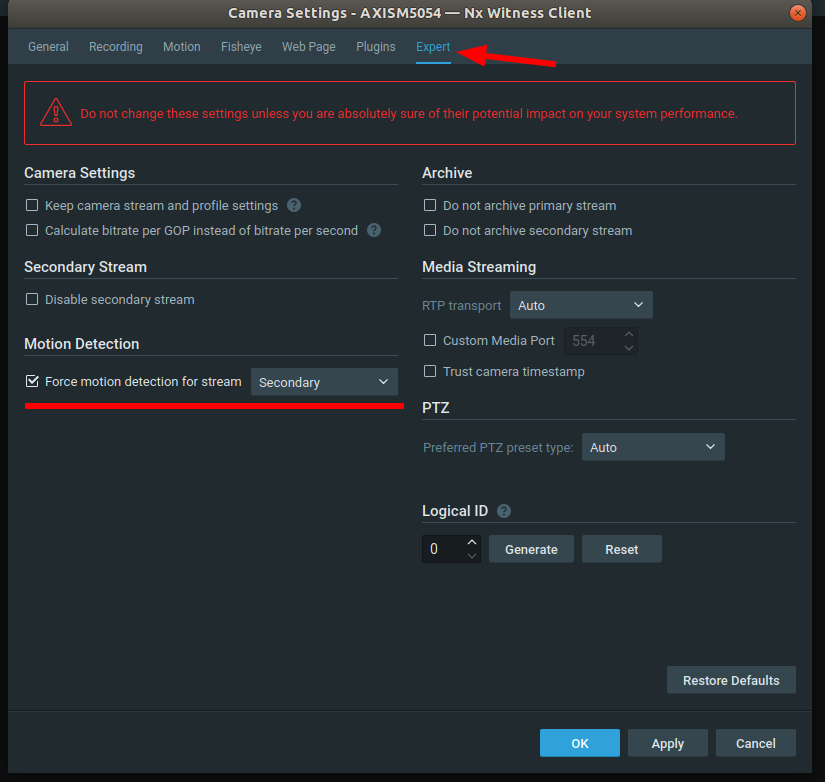
Here is how you can optimize performance.The Server always decodes (uncompresses) frames for motion detection. Generally, we recommend perform motion detection with low-re channel video. So, you can configure MD on low-res channel for the first step.
For the second step you can configure plugin to receive frames from the secondary stream

NOTE, if any plugin on this camera will request primary stream the server will automatically switch to decoding the primary stream for motion detection, as well, in order to supply all parties with the only once decoded frame.0 -
I'm sorry, I don't understand what to test.
If you are talking about object/events generation - I removed object/event generation from the plugin before testing too.0 -
The Server has several special demo plugins out of the box.
One of them is stub_analytics_plugin. On linux it is stored as
/opt/networkoptix/mediaserver/bin/plugins_optional/libstub_analytics_plugin.soCopy this .so to the /opt/networkoptix/mediaserver/bin/plugins folder. Restart the server.
You'll see this plugin in the "Camera settings" window.Once stub_analytics_plugin is enabled on a camera configure its settings like this

Disable the plugin you are developing.
Make a test similar to you've described.
I tested it without my own processing. CPU load is proportional to a camera resolution. I tested it with FHD and 4K cameras. CPU utilization is ~50% without plugins, ~70% with 1 FHD camera and ~150% with one 4K camera.
0 -
It's approximately the same
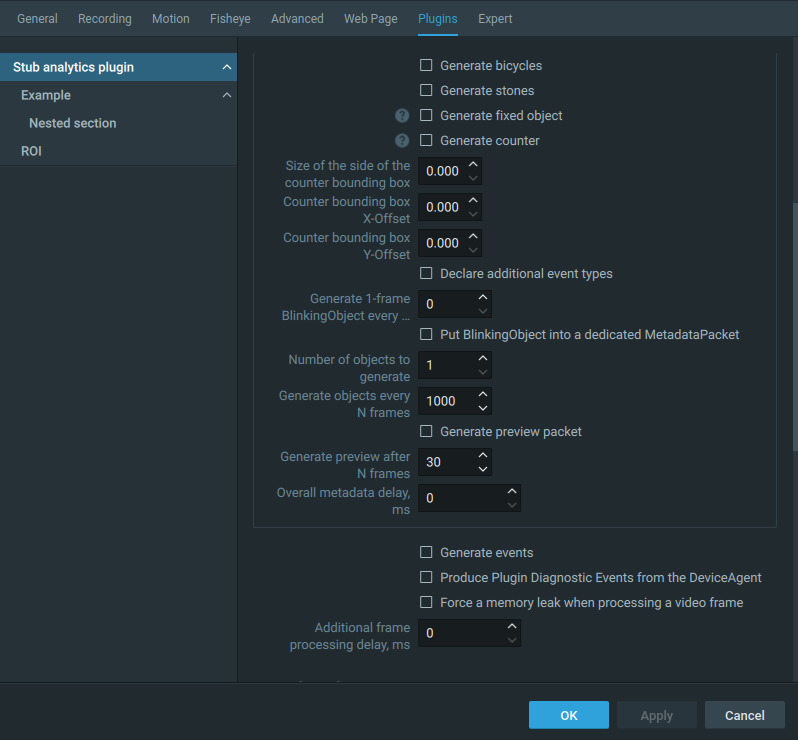
Plugin settings: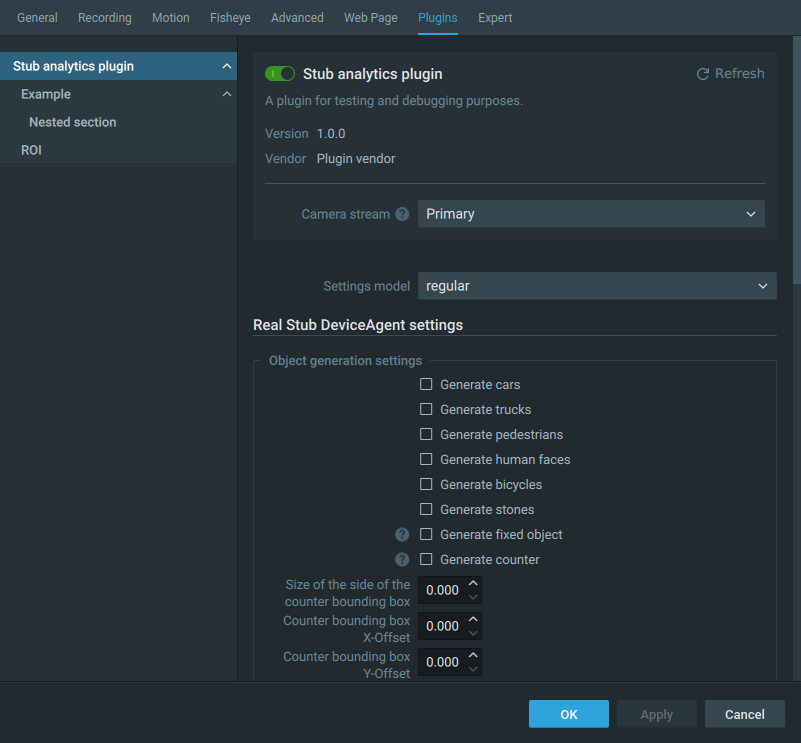
Plugin is disabled (top -d 10):
Plugin is enabled (top -d 10):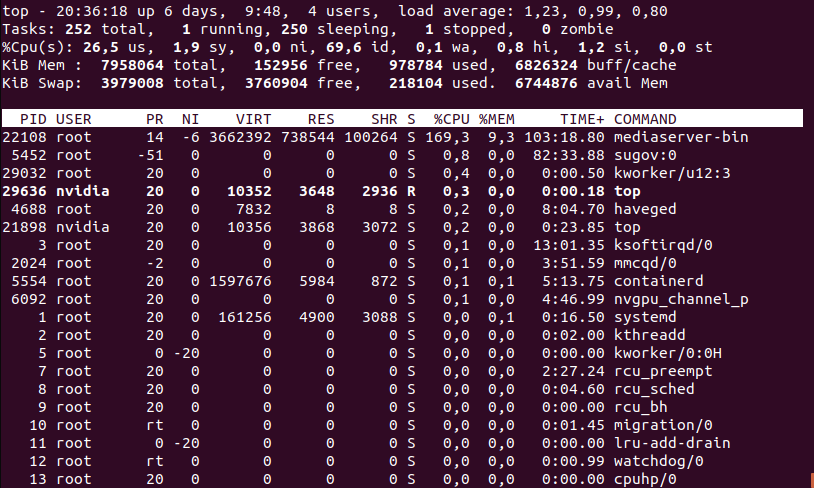
Camera resolution is 3840x21600 -
Hello Andrey,
Sorry, I didn't see your answers about motion detectio and secondary streams. How can I configure motion detection?
>Are you using this one https://developer.nvidia.com/embedded/jetson-xavier-nx-devkit
>Or that one https://developer.nvidia.com/embedded/jetson-xavier-nx
Yes, I'm using a devkit. I'm aware that it has 6 cores but I want to handle more than one camera. And I need to analyze a frame, not just receive it.
I'm already thinking about secondary streams but their resolutions vary across cameras and it seems like I can't use secondary streams because of too small resolution on a majority of the cameras.
And of course I would like to use GPU (and decode frames with hardware decoder) because I already compiled ffmpeg with nvdec support. But as for today I can't decode 'compressed frames' because I don't quite understand what they are and how to work with them. I tried this code https://stackoverflow.com/questions/25431413/decode-compressed-frame-to-memory-using-libav-avcodec-decode-video2 and this example https://libav.org/documentation/doxygen/master/decode__video_8c_source.html but I wasn't able to get a picture yet.0 -
Hi,
> How can I configure motion detection?
Please, see the screenshot.
 0
0
Please sign in to leave a comment.
Comments
11 comments