How to find video dimension in NX?
Answered
Is there anyway get/ view video height and width dimension in Nx Client Application?
For instance, How to find video dimensions of Test camera, Web Camera Dimension details?
Is there anyway I can modify height and width values of a video?
-

Hello Mohamed,
Please clarify, do you need a resolution value in pixels?
Or maybe something else?
0 -
Yes, I want to check resolution values in pixels. The reason behind this question is, coordinates are not matching as I expected.
This is the image after object is detected. I have exported this image using python script.
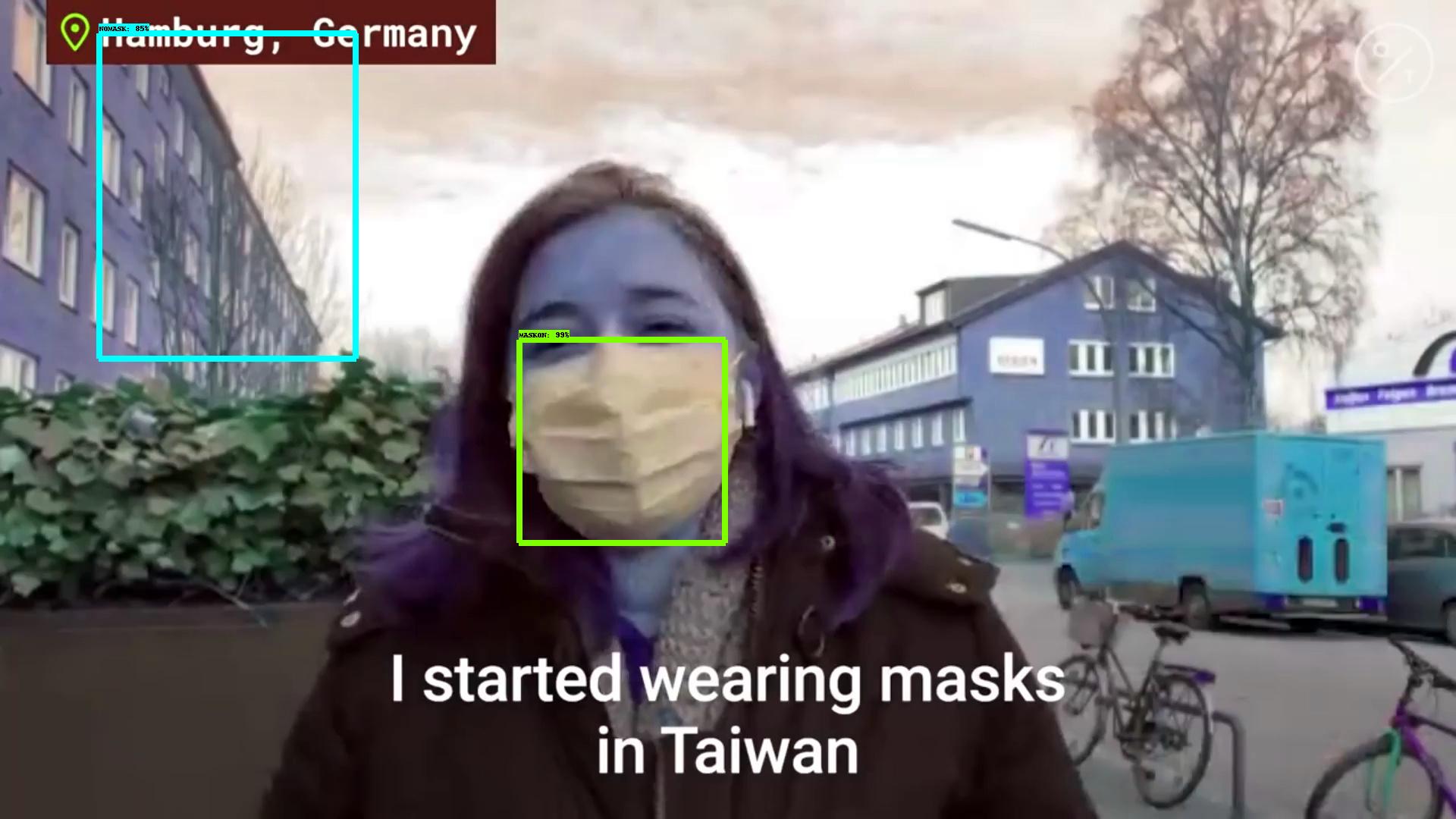
Note: ignore the green color object.
When I send coordinates to NX plugin instead of x1, x2, y1, and y2 I am passing it as x, y, width, height; where x=x1, y=y1, height=y2-y1 and width=x2-x1. I substitutes this formulae as per NX team suggestion https://support.networkoptix.com/hc/en-us/community/posts/360043935633/comments/360011320613.
After passing coordinates, it draws coordinates on NX client object and it look like below.
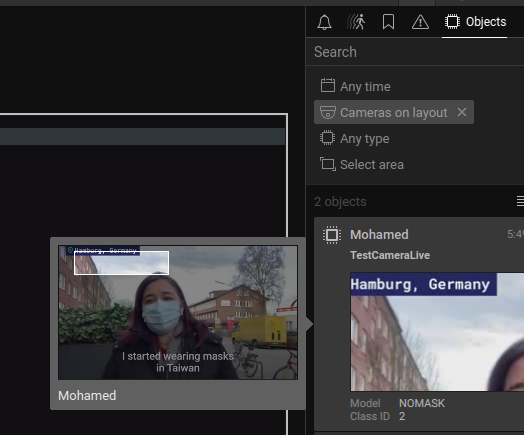
If you notice the highlighted object, it starts from the letter H of Hamburg and that is expected. i.e., x, y coordinates are mapped properly. But somehow height and width are not matched. So, it gives unexpected bounding box result. I am not sure why it behaves like this. I think either the formulae is incorrect or else resolution is not same for inference and plotting images.
i.e., I am performing inference (object detection) on (1920X1080 pxs) image and trying to plot the detected object coordinate into (M X N pxs) image where M and N is not equal to 1920 and 1080 respectively. I have mentioned the issue and my effort to solve the issue. please help me to solve the issue.
0 -
Hi NX Team,
I have fixed the the issue. My bad, width and height was interchanged. That's the source of issue. Sorry for wasting your time.0 -
Hi Mohamed,
Thanks for the info!
I was just going to send you the same assumption. Closing this thread.
For those who stumbled upon this thread looking for a way to get the frame resolution, please see the functions width() and height() of the ICompressedVideoPacket0 or IUncompressedVideoFrame0 classes.
0
Please sign in to leave a comment.
Comments
4 comments