User admin doesn't have permission to edit users
Completed
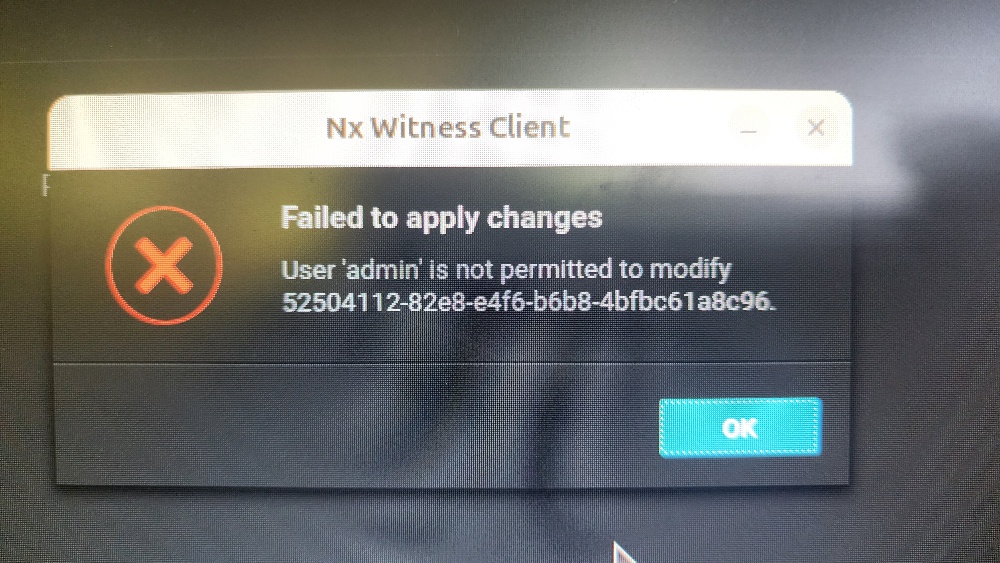
Greetings. I'm finding that administrators don't have permission to edit users. Even if I log in to admin from the server console, I get an error when trying to change a user's permissions from Advanced Viewer to Viewer. If I add a new user I can change his permissions but not an existing one. If the local admin doesn't have permission to change a user, who does? Client and server at 6.0.0.39503. Thanks in advance.
-

Thank you for your post.
The issue that you're describing matches a bug that has since been fixed in the latest versions that we have available for Nx Witness VMS. Please upgrade to the latest available version and test to verify that the issue has been resolved.
0 -
The upgrade solved that problem and I can now edit user permissions. Thank you! However, there's still one user that I can't edit.
Apart from user “admin”, one other user has Administrator rights but due to a change of personnel roles, that user should no longer be an administrator - we need to promote a different user to that role. But the selection box for the first user is greyed out and when I hover over it, the message is “You do not have permissions to edit this user”. Once again I'm faced with the admin user on a local server login unable to edit a user. There appears to be no way to change this user's permissions, disable him or even delete him (not that we want to do that). How do we remove administrator rights from this person and grant them to someone else? Thanks in advance.
Server and client now both on 6.0.3.40736.
0 -
Thank you for the reply.
For this additional concern, let's get a formal ticket on it and we'll assist from there.
You can find instructions on how to log a support ticket with us via this link: https://support.networkoptix.com/hc/en-us/articles/360042844374-How-to-submit-a-support-request
0
Please sign in to leave a comment.
Comments
3 comments