Question about the performance of the ability to overlay boxes on tiles in the Nx Client.
Answered
Hello. This is Jeong-ho Kim, the developer of SNUAILAB.
I have a question about the performance of the function of overlaying a box on a tile by using VA Plugin in Nx Client, so we will contact you.
I tested it by drawing a box by doing Channel settings-Show on items-Object in each tile. When the number of displayed object items (Box) exceeds 200 in all clients, phenomena such as video delay, resolution change (Hi-Res -> Low-Res), and no box were drawn.
It was confirmed that the object box was saved without a problem, and there was a problem only when it was displayed on the tile.
What is the specification of the object Rectangle display performance displayed by the client, that is, where the performance is greatly affected ex) the total number of object boxes, what is the recommended number of boxes to draw in one channel?
Etc. I would like to know the exact specifications. And ask what you can do to improve the performance.
- Development environment
OS: Ubuntu 18.04
CPU: Intel(R) Core(TM) i7-10700K CPU @ 3.80GHz
RAM: 32G VGA: GeForce RTX 2080 SUPER
Nx Client Version: 4.2.0.32836 R4
nxSdkVersion: 4.2.0 R3
- Measuring conditions
Video: 1920 x 1080
FPS: 30
*Draw Test Box: Create Object MetadataPacket as much as Test Box Count in pushUncompressedVideoFrame() and pushMetadataPacket to Nx
*DurationSec: 0
-

Hello jeongho,
Could you please do the following:
1. Share a screencast of how the issue looks?
2. Use stub_analytics_plugin and try to reproduce the issue with it.
The stub_analytics_plugin is located in the "plugins_optional" folder of the Server. For activation, just copy the plugin binary to the "plugins" folder and restart the Server.
The plugin has several settings for types, number and frequency of the objects to be generated and displayed.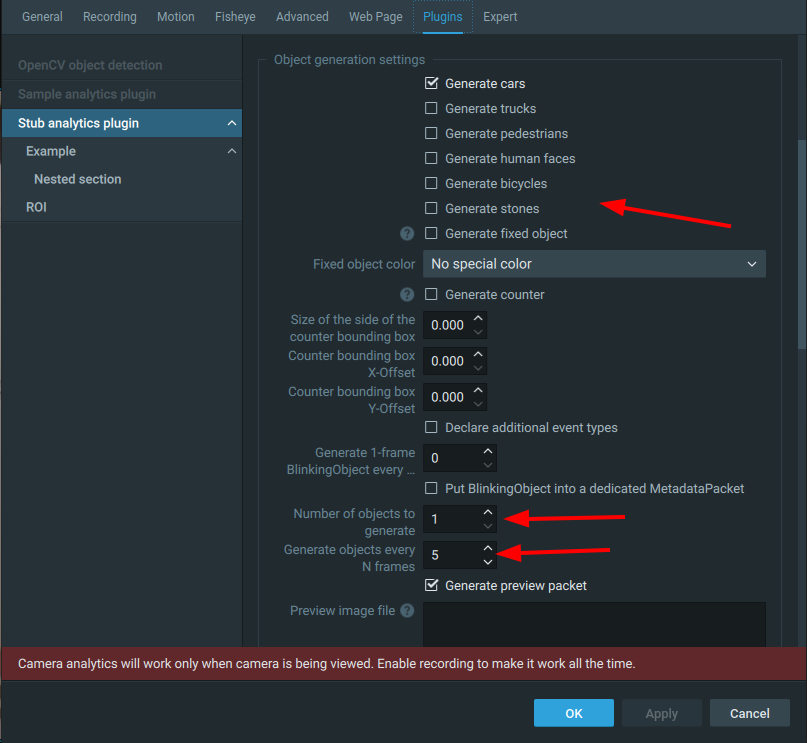 0
0 -
Thank you for answer.
In my experiment, I was continuously drawing new objects without tracking by continuously randomly generating t_ids for objects created every frame.As you answered, when I measured using the stub_analytics_plugin, when 30 objects were created for each of the 5 channels, the video slowed down and the resolution was changed. I would like to know how much box is recommended.
0 -
Please, share a screencast.
when I measured using the stub_analytics_plugin, when 30 objects were created for each of the 5 channels
That means, you have 150 bounding boxes in total.
If you have only one channel with 150 bounding boxes, does the issue persist?I would like to know how much box is recommended.
At the moment, we have no recommended number since we have not performed such tests.
0 -
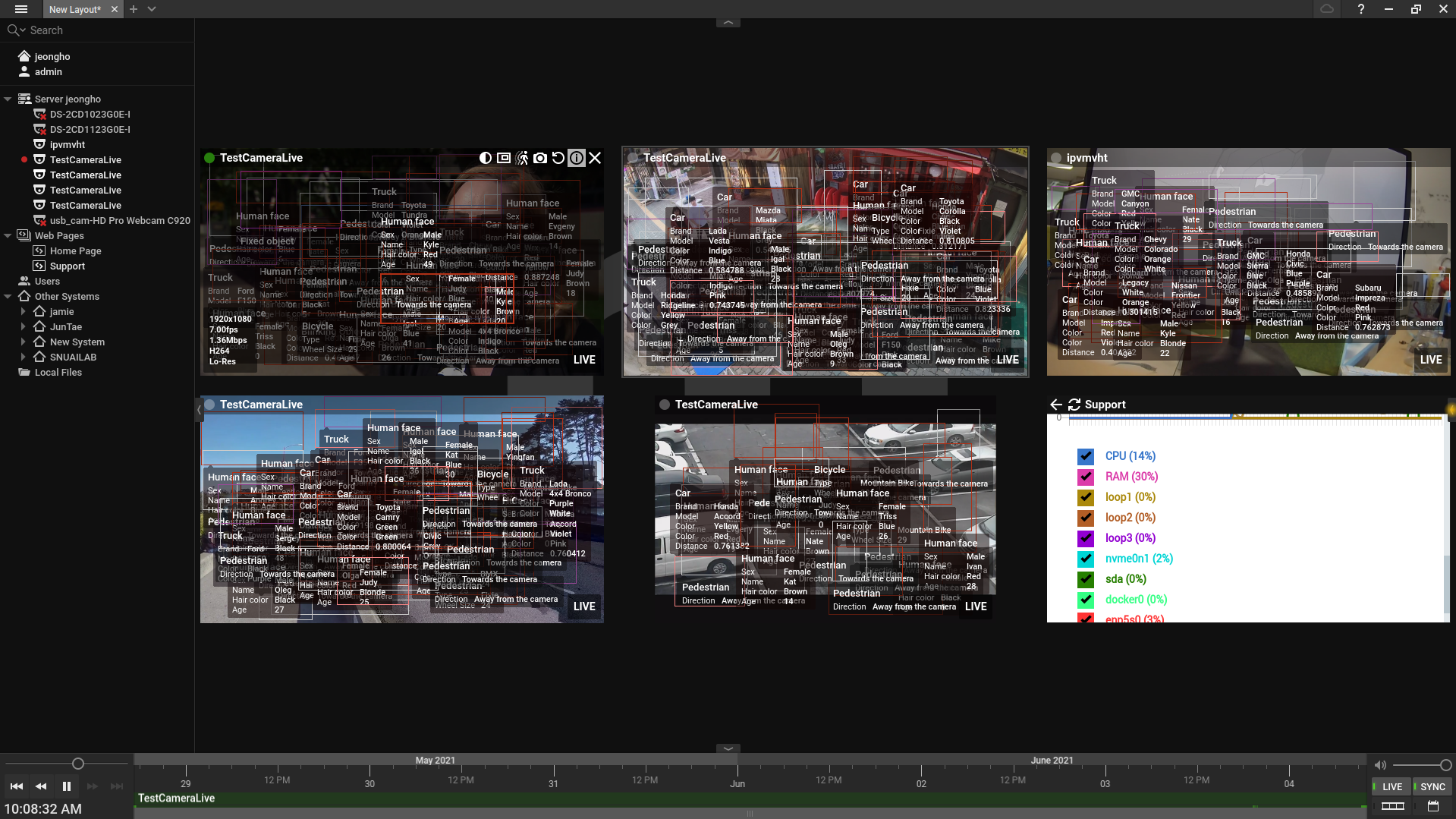
The issue appeared when I set the Stub Plugins setting to Number of objects to generate : 30 Generate objects every N frames : 1 for each of the 5 channels.
Thank you for answer.
0 -
Hello jeongho kim,
Could you please elaborate your scenario?
In your case, what would be the estimated practical use of so many objects been visualized on one screen in live stream?
On the screenshot you've shared, I can't see any useful information because of enormous overlapping of bounding boxes and attributes.
0 -
hello. Sorry I couldn't check the answer.
I asked a question to measure the performance of bounding boxes displayed in a channel. The bounding box and attribute were randomly generated scenarios.0
Please sign in to leave a comment.
Comments
6 comments