AI BOX integration
Answered
Hello,
we upgrade the server to the latest upgrade (4.2.0.32658) and we have a couple of issues with the integration to the AI BOX.
We did the whole process of creating a trigger and made a rule in the Nx system but for some reason, we do not accept any event other than a face recognition event.
*I want to point out that in the previous version everything worked as usual and we got all the events.
-

Hello Lital Akulov,
There was a bug in 4.2 in the server's analytics engine, and this was changed to allow instant events to occur properly (continuous events were not affected)
The changes were not made to the plugin itself, but in how server handles the events.
The following private patch is intended to resolve this issue until the official Hotfix Release is available, which we anticipate to be published next week.
In-Client Upgrade:Go to the Updates tab in the SystemAdministration settings and click on the 'Update to Specific Build' button:
Build Number: 32795
Password: h5e73c0 -
Hi @...,
Thank you so much for you're quick responses.
we update the system and it works!0 -

Hi,
I have update our test system with the AI box also. Before with version 4.2 we had no tracking from the objects in the view. Now with the specific patch the objects (person, vehicles) are tracked but they are all labeled "Undefined object".
What could be the problem?0 -
Hi again, Jason Lee
I integrated the AI-Box to the Nx server (4.2.0.32795 Beta version) and I ran into a couple of problems.
The first problem is that the camera picks a lot of objects and it makes the server save a lot of unnecessary analytic information. even though I draw an exclusion area in each camera of objects that I want to be ignored in the AI Detector in the AIBox, it still picks them up.
The second problem is the delay with the bounding box. when a car, for example, is riding on the road the bounding box isn't on the car but it is right behind it and also not permanent - it's flickering.
I've also tried different values in the Metadata Timestamp correction parameter in the camera plugin tab under camera settings in the Nx Client. But there were no changes at the object bound box location at all (it kept being displayed behind the object vector of movement.)
Please let me know if there is something else I can do to fix it.
https://drive.google.com/file/d/1eP1suXAS1K6F2auVtZ0Jr_gqbhKbcEhh/view?usp=sharing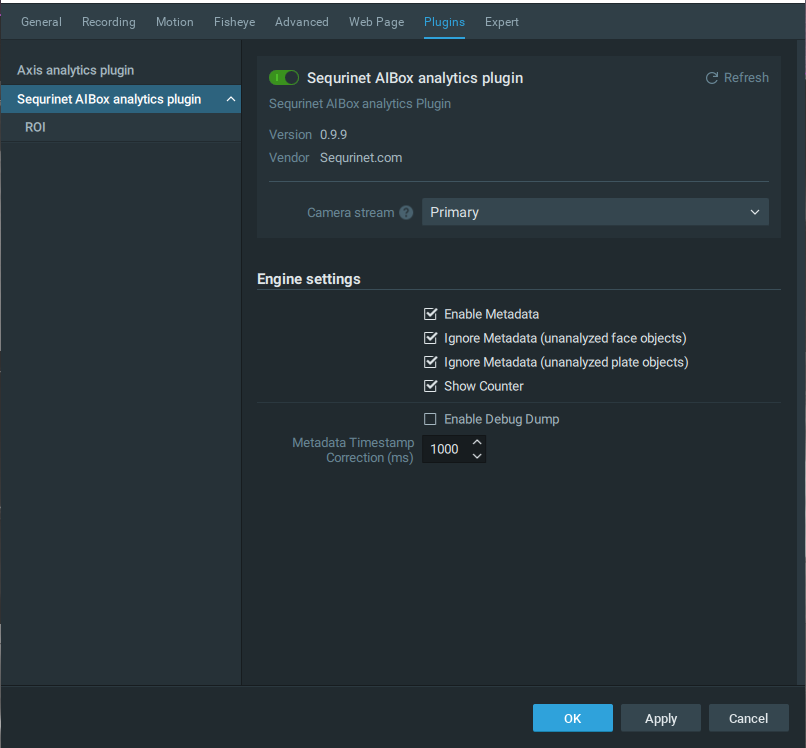 0
0 -
 Hi Akulov,2 feedback from my testing, please see below.As to the big latency of overlapping bounding boxes on Nx desktop client from your video, perhaps the support team can advise some potential reasons that may cause this.In our lab setup we use Nx version v4.2.0.32840 + AIBox firmware 72210.1.100257.100. We don't experience big latency shown in your video. (There is still latency, but not that significant) Please update your versions and give it a try. You can use in client upgrade:
- Build Number: 32840
- Password: ld5xsd
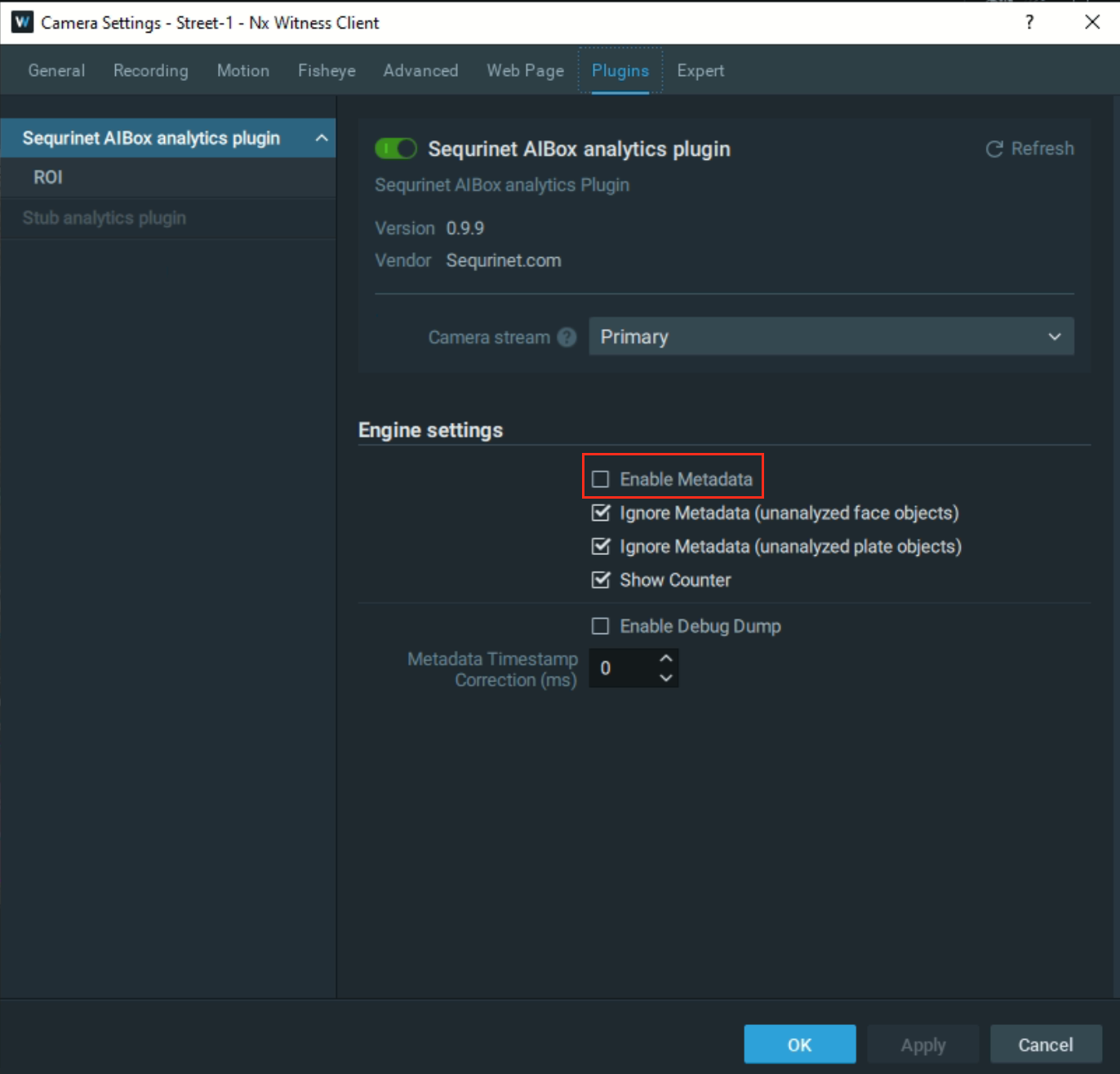
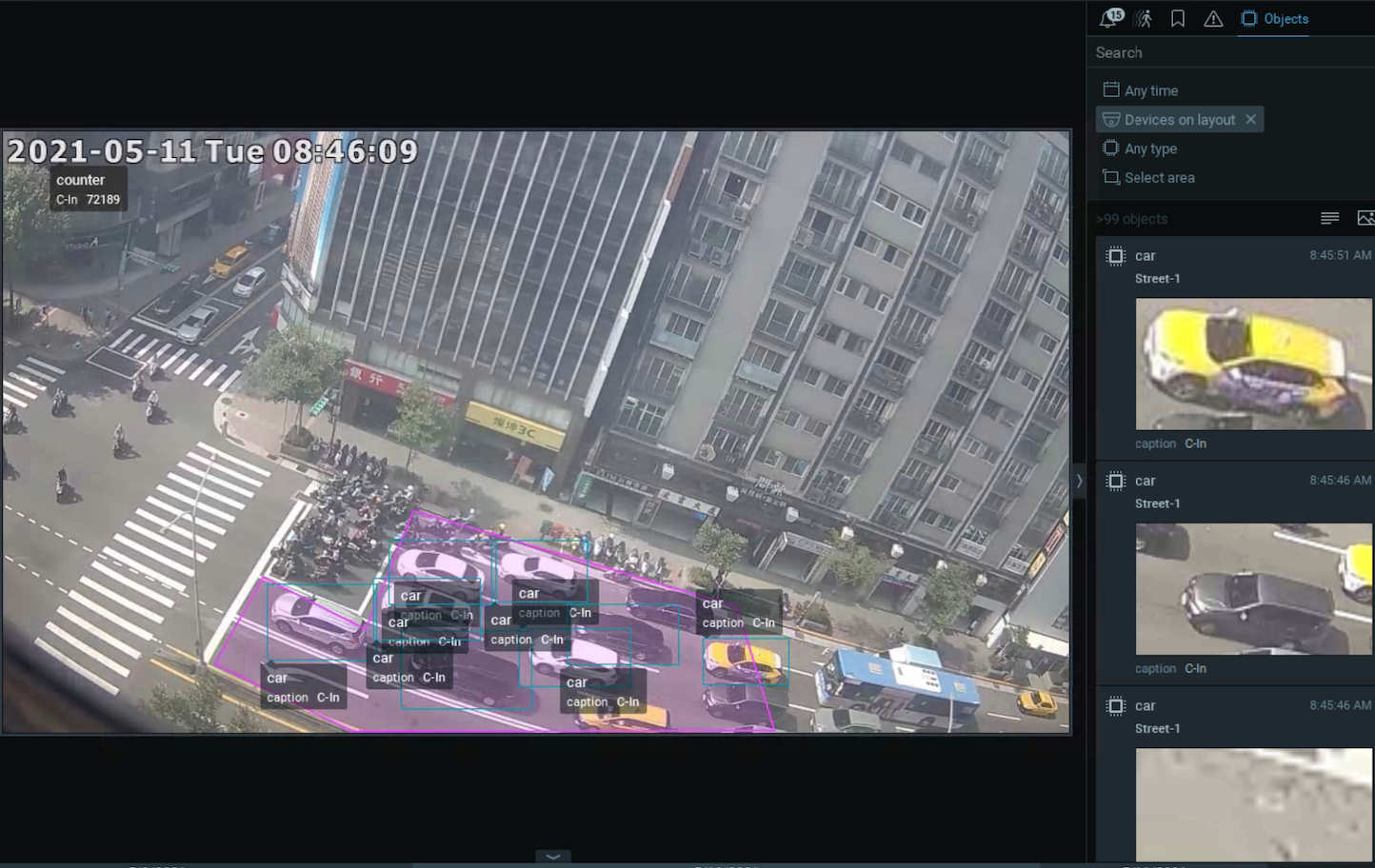
As to "lots of objects are picked up". You can disable it in the Nx client (see the screenshots). When DISABLE, only objects detected at the intrusion areas (box or line) will appear at the object tabs. When ENABLE, all the objects in the camera view will be detected and sent to Nx. A video shows line crossing when DISABLE metadata in Nx: https://youtu.be/Cj_iZPSNZ8E
 0
0
Please sign in to leave a comment.
Comments
5 comments